Install the RESTful API Manager extension in ScreenConnect and set its authentication secret
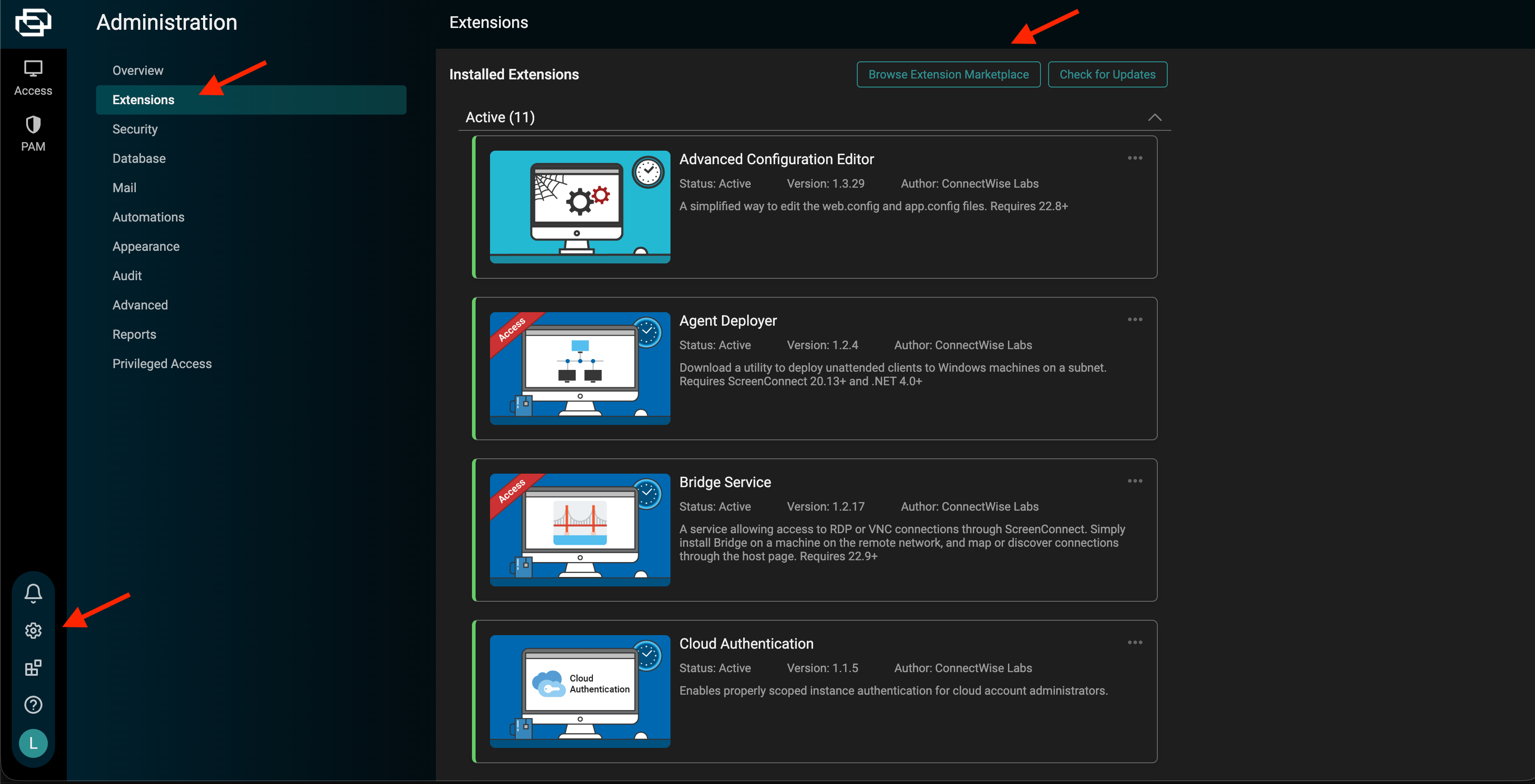
Neo Agent connects to ScreenConnect through the RESTful API Manager extension. Install it once, set an authentication secret, and copy that secret into Neo Agent.
You need an administrator account on your ScreenConnect instance to install extensions and edit their settings.
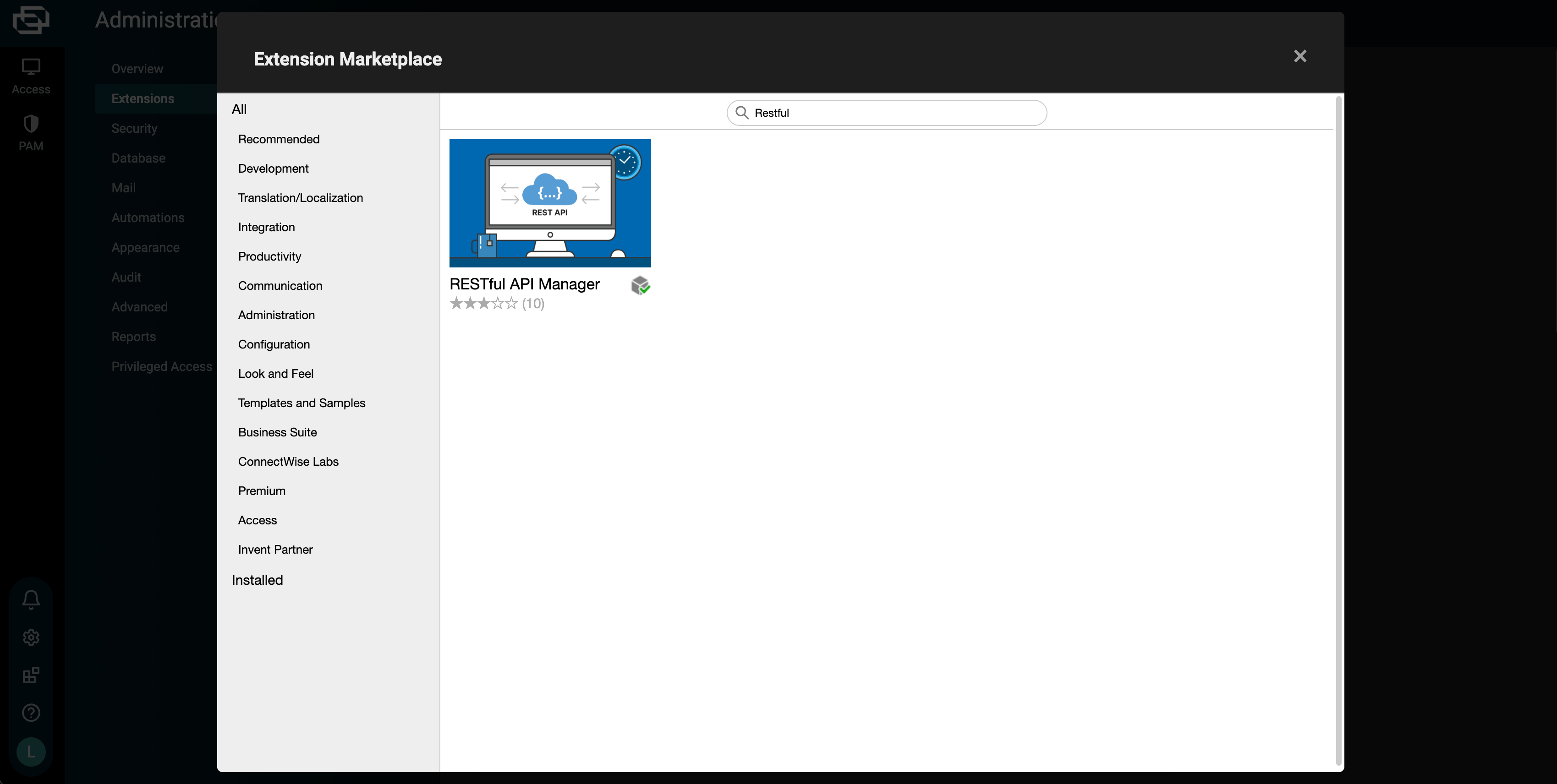
In the marketplace, search for RESTful API Manager and install it.
Searching the Extension Marketplace for RESTful API Manager
3
Open the extension's settings
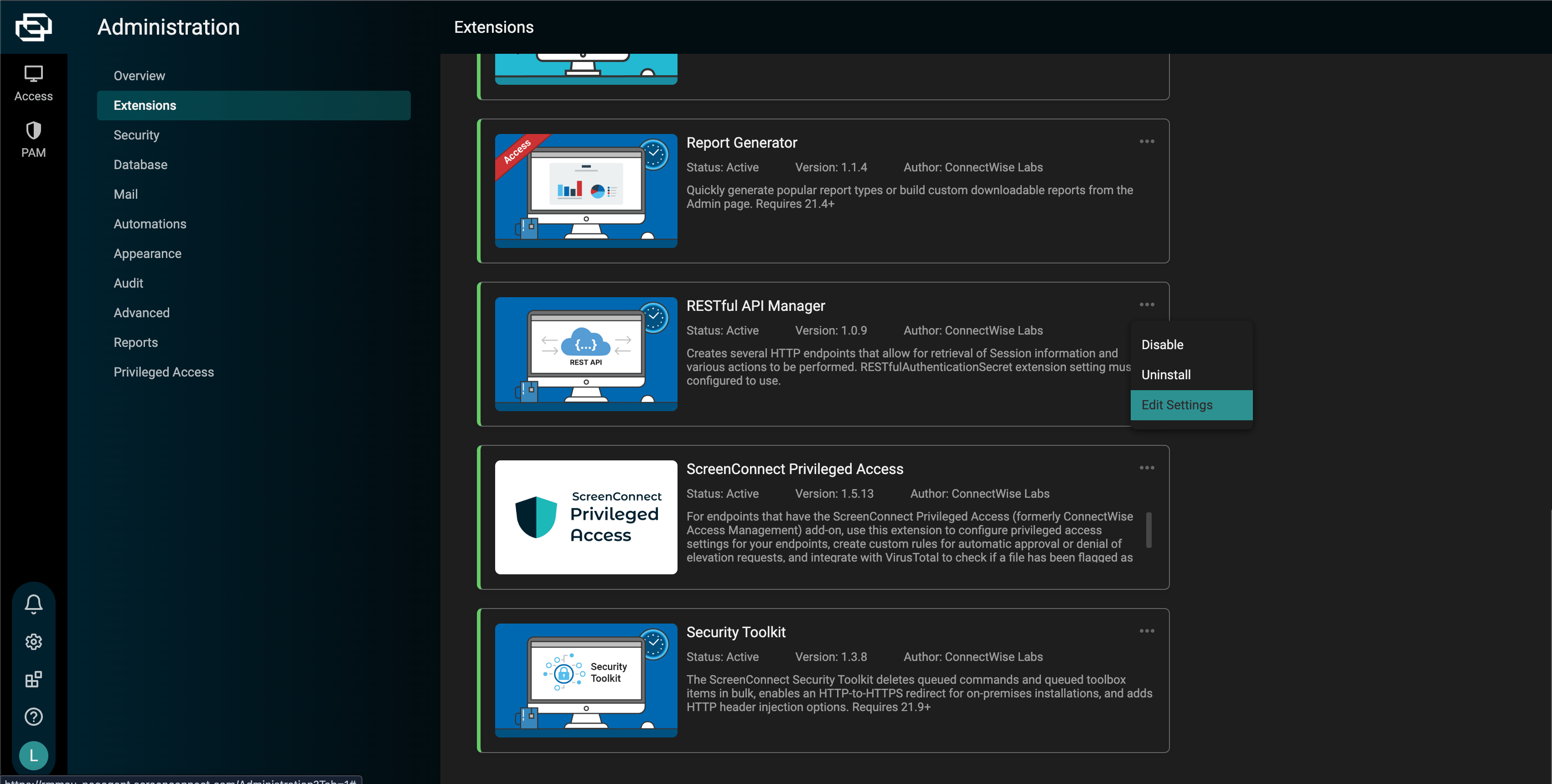
Back on the Extensions page, find the installed RESTful API Manager, open its … menu, and choose Edit Settings.
Edit Settings on the installed RESTful API Manager extension
4
Set the authentication secret
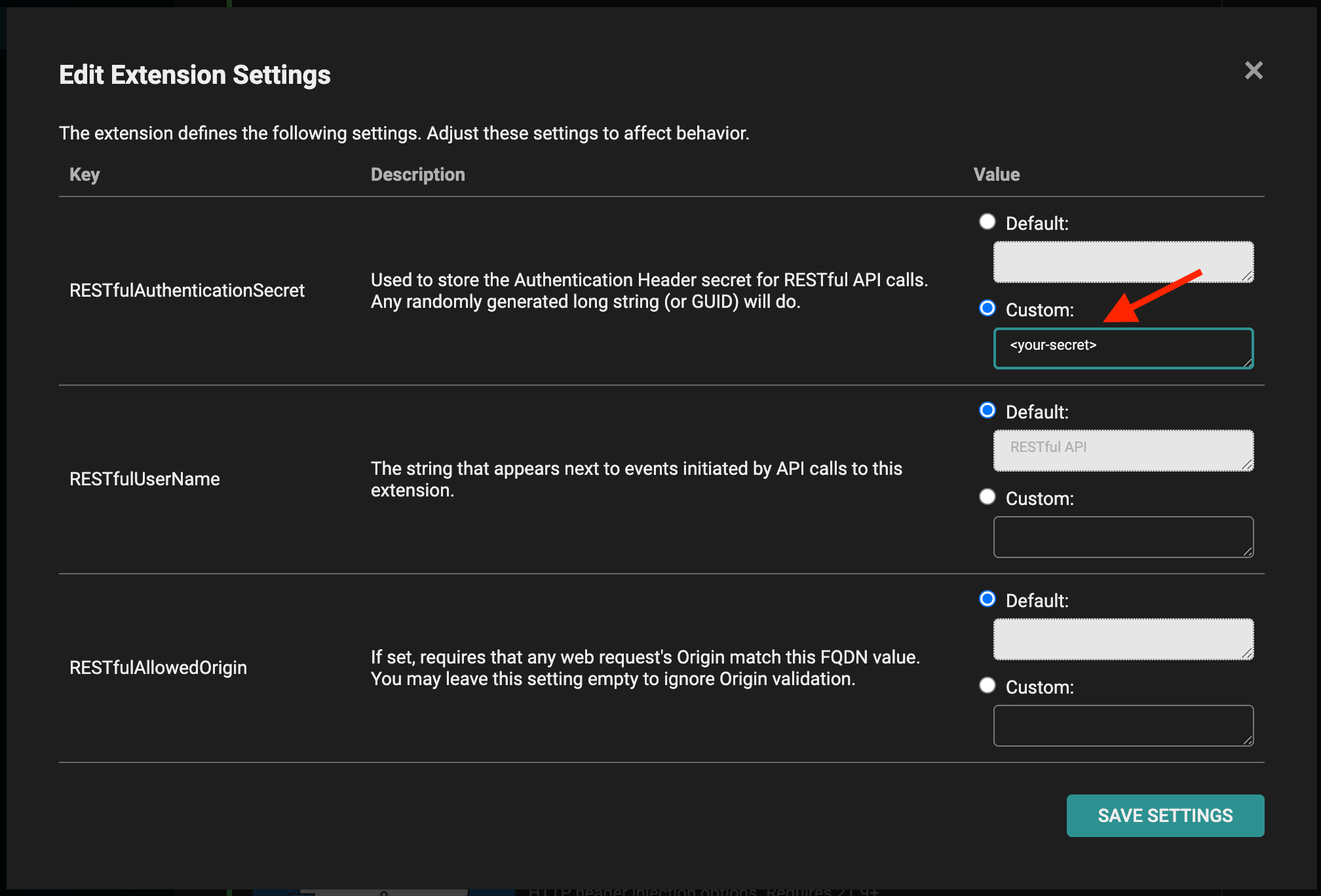
Set RESTfulAuthenticationSecret to Custom and enter a randomly generated long string (a GUID works well). This is the value you enter in Neo Agent as the Client Secret. Click Save Settings.
Setting a custom RESTfulAuthenticationSecret
Treat the authentication secret like a password — anyone with it and your instance URL can call your ScreenConnect API. Generate a fresh one here if it is ever exposed.
The Edit Settings dialog also exposes two optional fields:
RESTfulUserName — the name shown next to events that API calls create. Leave it at the default (RESTful API) or set your own.
RESTfulAllowedOrigin — if set, every request’s Origin must match this value. Neo sends your instance URL as the Origin, so you can either leave this empty (Origin validation off) or set it to your instance host (e.g. yourcompany.screenconnect.com). Both work with Neo.