
Ready to get started?
Sign up for your free trial and start automating your MSP operations today.
When does your 14-day trial start? The countdown begins the first time you enable an automation — a workflow or agent that runs on your tickets or on a schedule — or the first time one runs, including a Run Now by hand. Signing up does not start it, and neither does building an automation and saving it with Save as Disabled, so you can prepare as much as you like before the clock starts. Setting up a chat agent (an internal assistant your team messages) never starts it. Your Billing page shows the exact start date and which automation started it.
1
Sign up with Microsoft
Use your Microsoft login email to create your Neo Agent account. This ensures secure authentication and easy integration with your existing Microsoft ecosystem.
2
Enter Your MSP Details
Enter some basic details about your MSP including:
- Company name and size
- Primary PSA tool you use
- Preferred language for onboarding & support — English or Spanish. The Neo team uses your choice to plan your onboarding calls and Teams support chat.
-
Teams support chat contact — the person we invite to your private Microsoft Teams chat
with the Neo team. It’s pre-filled with your sign-in email; feel free to change it to
whoever on your team should be in that chat (someone who uses Microsoft Teams day-to-day).
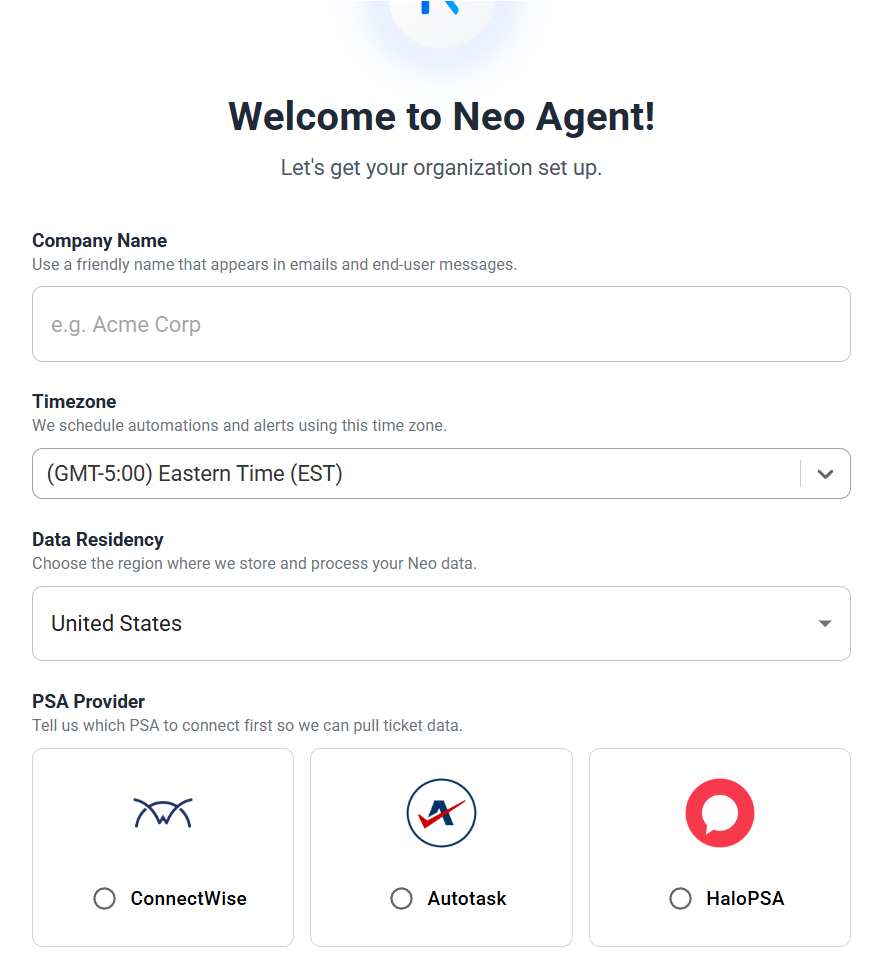
This information helps us customize your trial experience and prepare relevant examples for your setup.
3
Set Up Your Integrations
Neo needs your integrations connected to sync data and prepare your environment before the trial call.Please connect:
- Your PSA (for example: ConnectWise, Autotask, or Halo)
- Your RMM (for example: NinjaOne, Datto RMM, or N-central)
- Your documentation tool, if you use one (for example: IT Glue or Hudu), plus any other relevant tools
After connecting your integrations, allow up to 2 hours for Neo to complete the initial sync.
4
You're Ready for the Trial Setup Call
Once your integrations are connected and syncing, there’s nothing else you need to do!On the call, we’ll:
- Confirm your integrations are working
- Set up your first workflows
- Tailor Neo to how your MSP operates