Create API access credentials in ConnectWise Asio for Neo Agent integration
To enable Neo Agent to interact with your ConnectWise Asio system, you need to generate API access credentials with the appropriate scopes.
This process involves generating API access credentials (Client ID and Client Secret) in your ConnectWise Asio portal with specific permissions that allow Neo to access your scripts and devices.
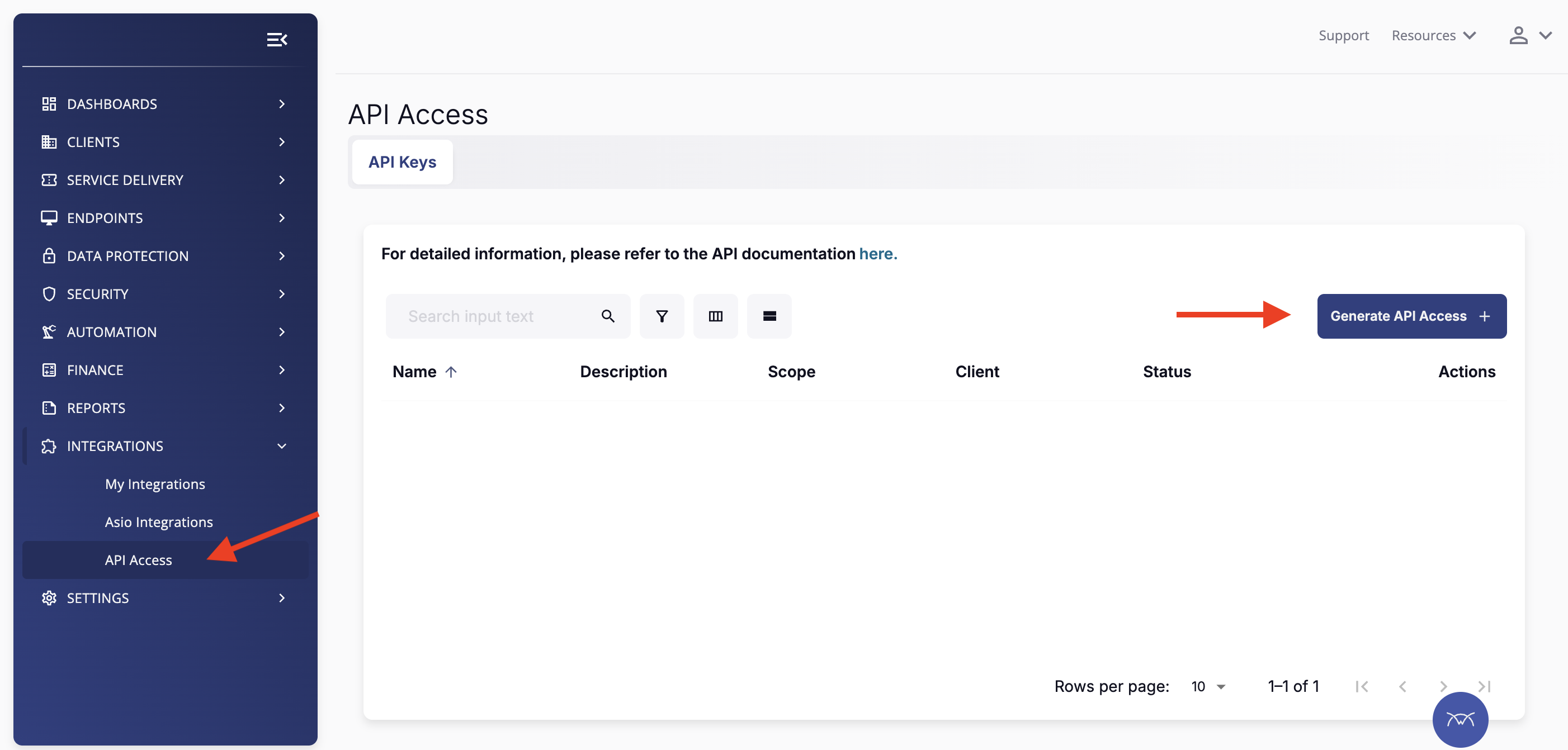
Log in to your ConnectWise Asio portal and navigate to the API Access section:
Click Integrations in the left navigation menu
Select API Access from the submenu
2
Generate API Access
Click the Generate API Access button in the top right corner of the API Access page to create new API credentials.
3
Configure API Access Details
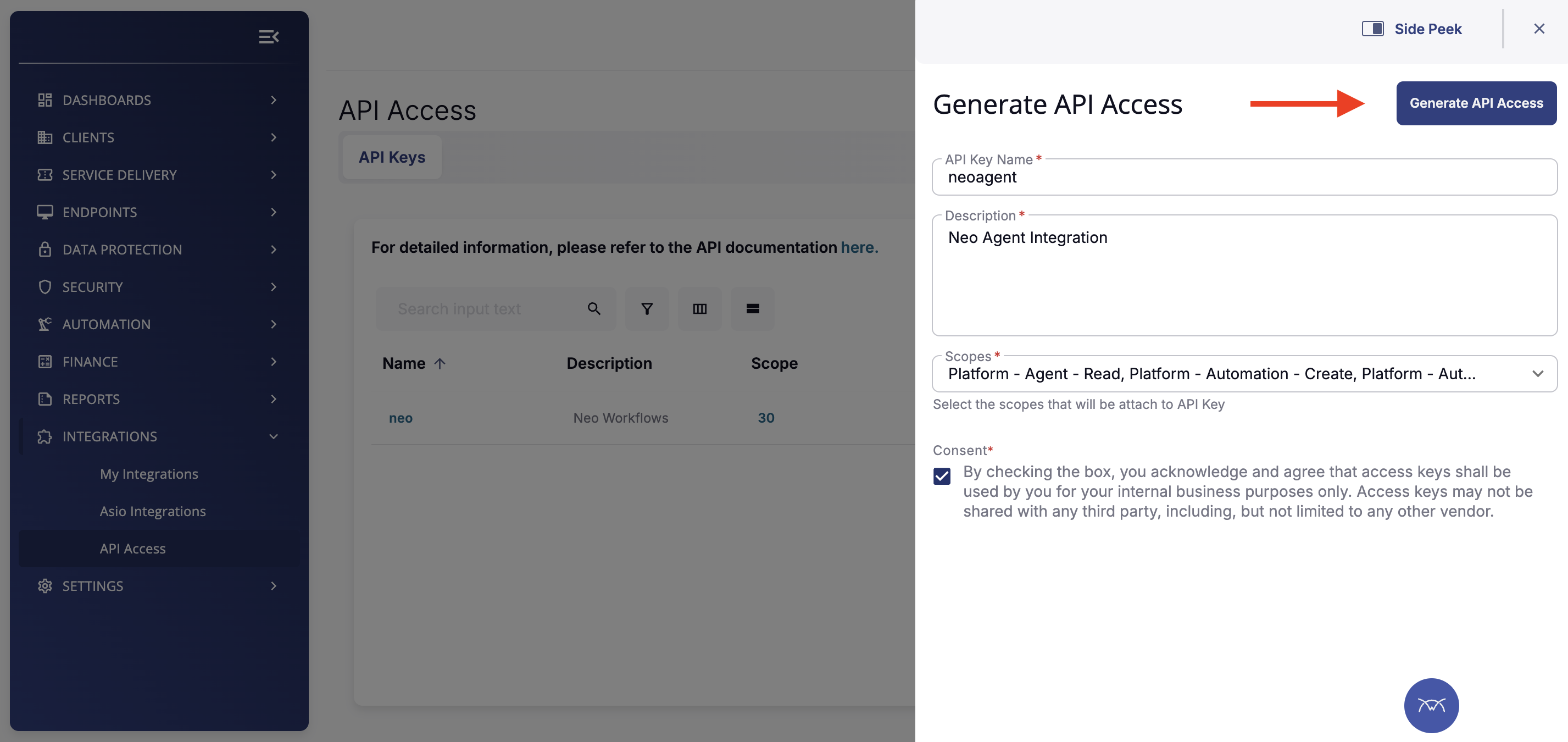
Fill in the API access configuration form:
API Key Name: Enter a descriptive name (e.g., neoagent)
Description: Add a description for reference (e.g., Neo Agent Integration)
Scopes: Select the required scopes for Neo Agent:
Platform - Agent - Read
Platform - Assets - Read
Platform - Automation - Read
Platform - Automation - Create
Platform - Companies - Read
Platform - Contacts - Read
Platform - Devices - Read
Platform - Sites - Read
Platform - Tickets - Read
Consent: Check the consent box to acknowledge the API access terms
API Access configuration form with required fields
Ensure all required scopes are selected. Missing scopes can cause Neo Agent to fail when attempting to execute scripts or access device information.
4
Generate and Save Credentials
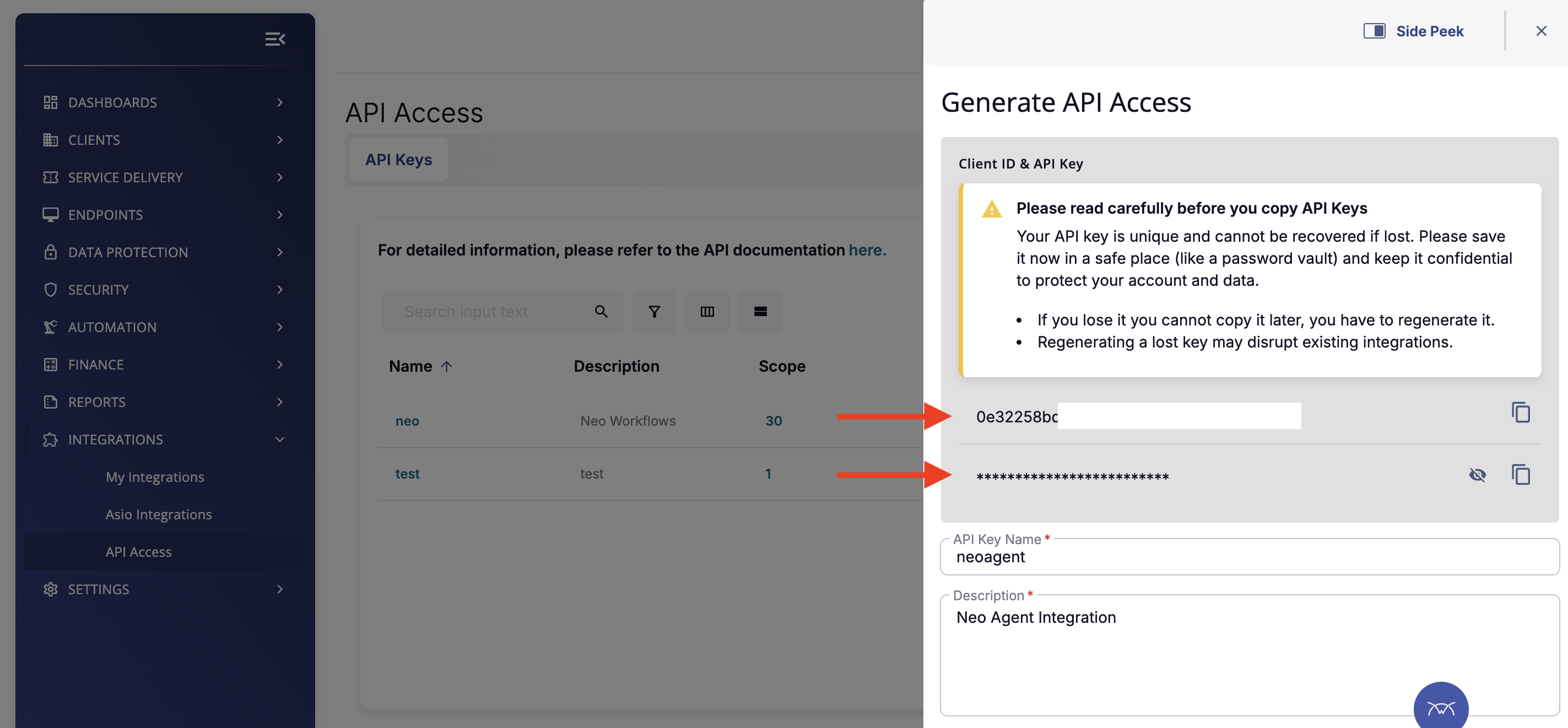
Click Generate API Access to create your credentials. A panel will appear showing your Client ID and Client Secret.
Generated API credentials - save these immediately
Important: Copy both the Client ID and Client Secret immediately and store them securely. The Client Secret cannot be recovered if lost—you will need to regenerate new credentials.
Before closing this panel, ensure you have saved:
The Client ID (visible in the form)
The Client Secret (hidden by default, click to reveal)
Once you’ve successfully generated your API credentials, you’re ready to connect them to Neo Agent using the Client ID and Client Secret from your ConnectWise Asio portal.
Before proceeding, ensure you have:
The Client ID from your generated API access
The Client Secret from your generated API access
Your ConnectWise Asio region (US, EU, or AU)
Assistant
Responses are generated using AI and may contain mistakes.