
TimeZest uses API key authentication for a simple and secure setup process. You’ll create an API key in TimeZest and add it to Neo Agent.
Prerequisites
Before starting the integration setup, ensure you have:- Admin Access: Administrator access to your TimeZest account
- PSA Connected: Your PSA (ConnectWise, Autotask, or HaloPSA) must already be connected to both TimeZest and Neo Agent
Setup Guide
1
Navigate to API Keys in TimeZest
Log in to your TimeZest admin portal and navigate to API Keys in the left sidebar menu.
Navigate to API Keys in TimeZest settings
2
Create a new API Key
Configure the new API key with the following settings: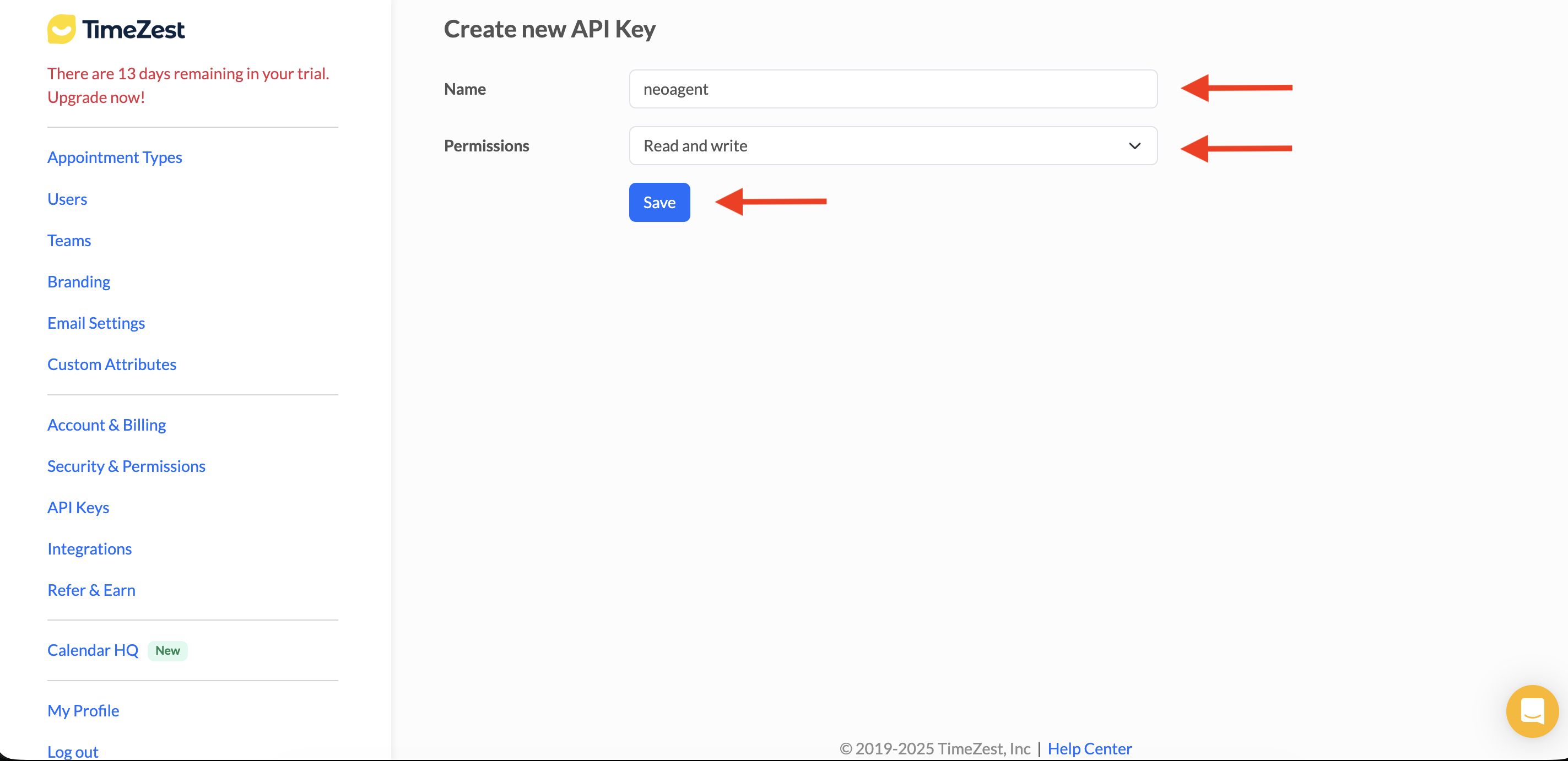
Create a new API key with Read and write permissions
3
Add the API Key to Neo Agent
Navigate to the Neo Agent Dashboard and select the TIMEZEST tab.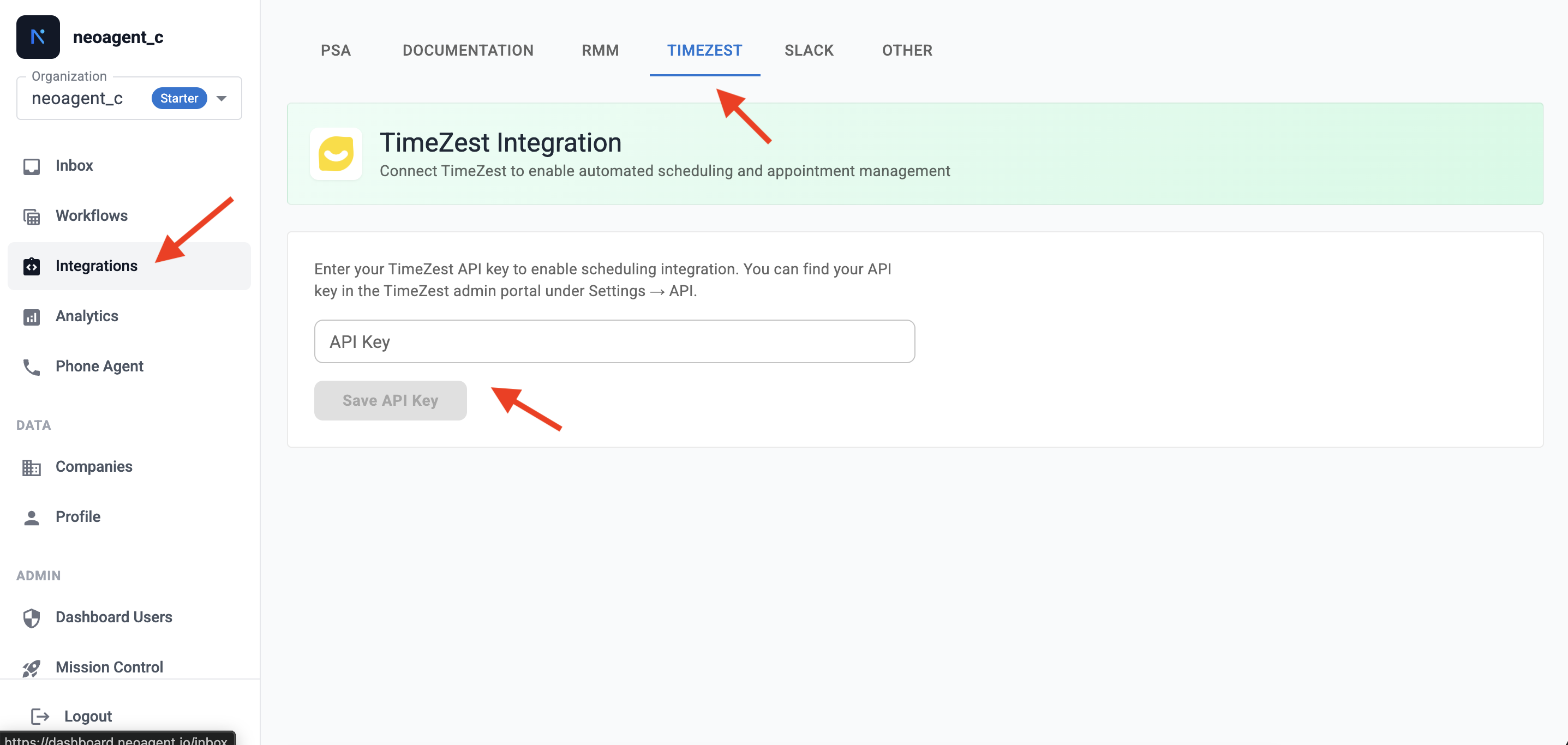
Enter your TimeZest API key in Neo Agent
- Paste your TimeZest API key into the API Key field
- Click Save API Key
Neo Agent will verify the API key by connecting to TimeZest. If successful, the integration is complete and ready to use.
What Neo Can Do
With TimeZest connected, Neo Agent can automate appointment scheduling within your workflows:Create Scheduling Requests
Create Scheduling Requests
- Generate scheduling links for end users to book appointments
- Associate scheduling requests with PSA tickets, contacts, and companies
- Select specific technicians or teams for appointments
- Choose from your configured appointment types
Manage Resources
Manage Resources
- Access your list of available technicians/agents
- View team configurations
- Identify appropriate resources for scheduling
Use Cases
TimeZest integration enables powerful scheduling automation scenarios:Ticket-Based Scheduling
Automatically send scheduling links when tickets require on-site or remote appointments.
Self-Service Booking
Include scheduling links in ticket responses so end users can book at their convenience.
External Resources
TimeZest API Documentation
Official TimeZest API reference and documentation.
TimeZest Help Center
TimeZest support articles and guides.