
How it works
Neo connects to your client Microsoft 365 tenants through the Neo Automations app registration. You install this app once per tenant with the necessary permissions, and Neo can then perform automated actions on behalf of your MSP. The integration uses:- Microsoft Graph API for user management, licensing, and group operations
- Exchange Online PowerShell for mailbox and email operations
1. Find the tenant ID
Use the tenant ID when authenticating the Neo Automations app.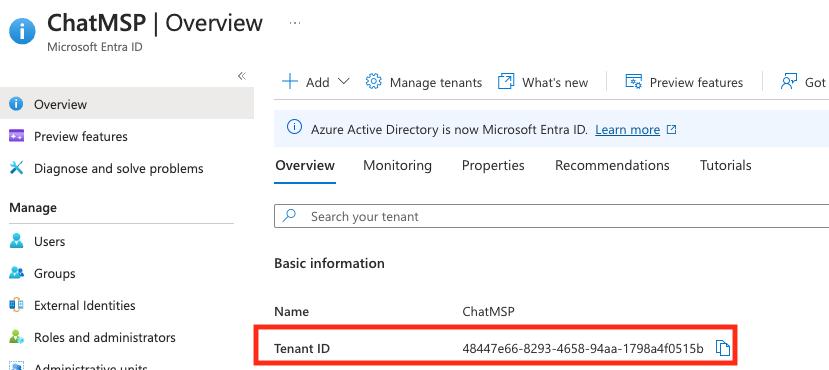
2. Add the company in Neo Dashboard
- Go to
https://dashboard.neoagent.io/end-companiesand select New Company
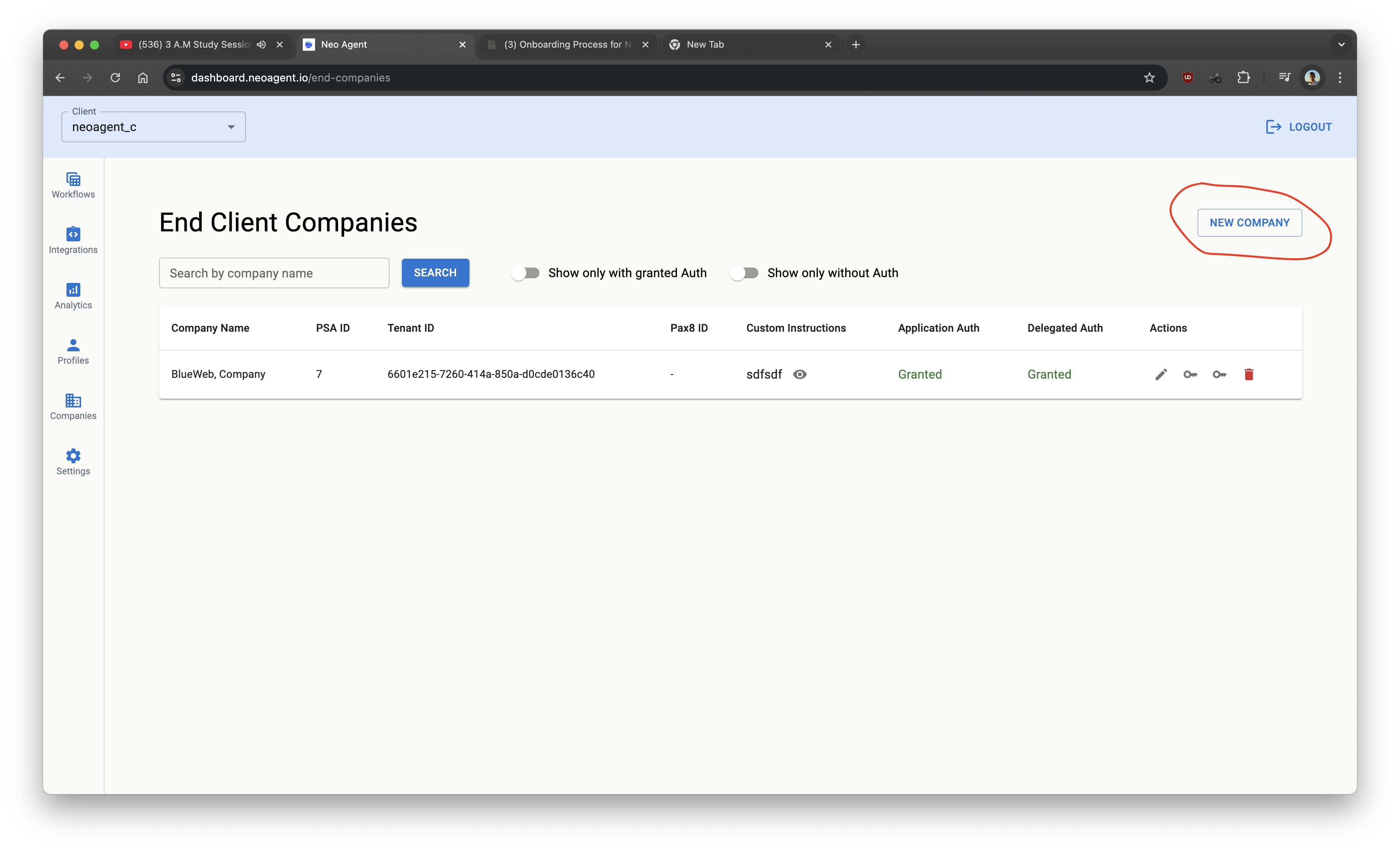
- Fill details
- Pax8 is optional (only if you manage Microsoft licenses via Pax8)
- Custom instructions are optional for onboarding/offboarding policies
- Click Create
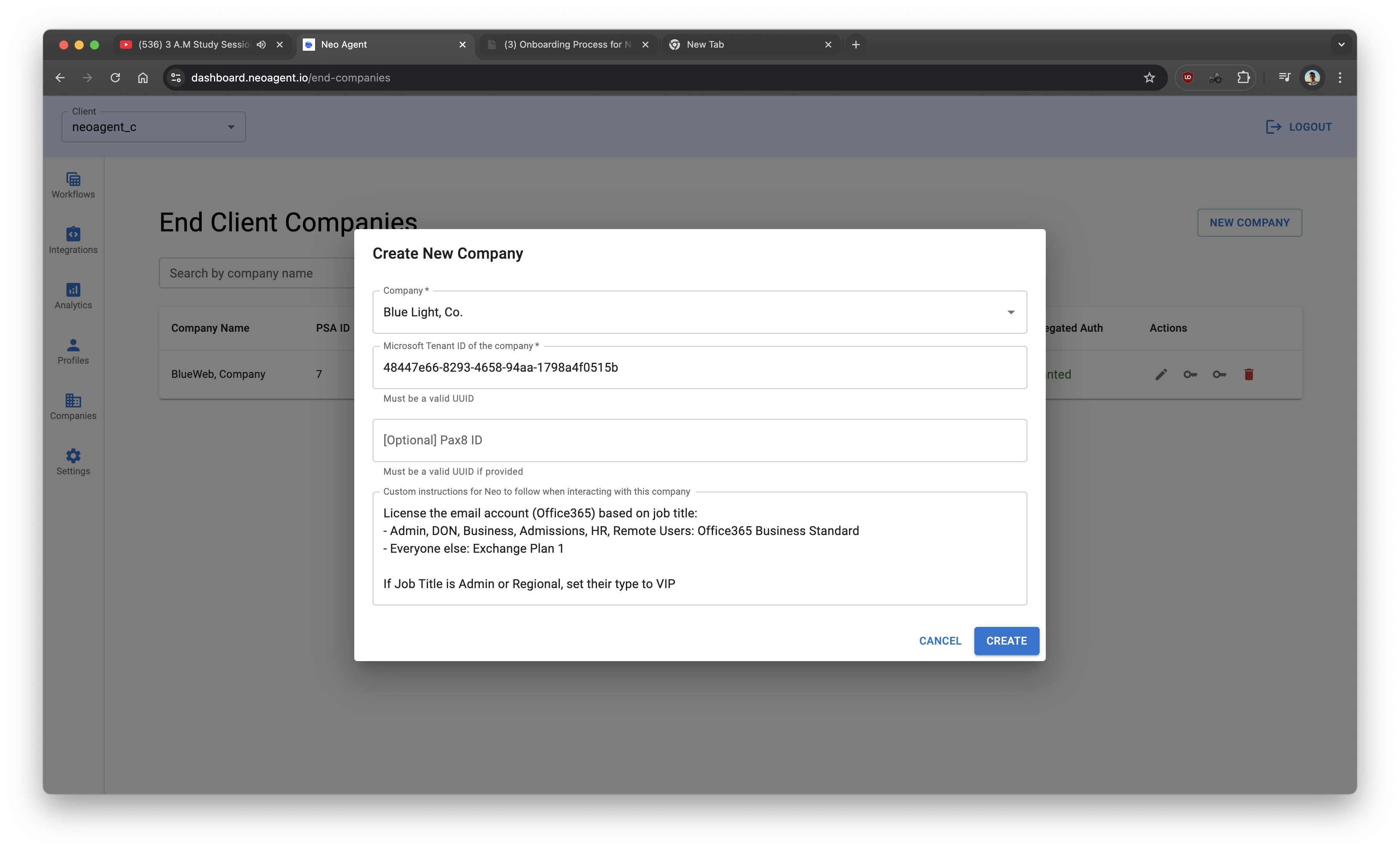
- Click the key icon to get the access link for the company’s tenant.
- Select Open here, or Copy the link and open it in a private window, another browser, or send it to the customer’s administrator. The link needs no Neo sign-in and works for 2 days.
- A Global Administrator or Privileged Role Administrator of the customer’s tenant approves the Microsoft consent screen. The same browser then finishes a Microsoft sign-in, usually without a prompt, so Neo can confirm who approved. A partner account signed in through GDAP cannot approve here; connect through GDAP instead.
- When the link was opened outside your Neo session, the page says Access granted and can be closed. The company shows as connected on the Companies page.
- If the page says Microsoft did not confirm the administrator role yet, wait a minute and open the same link again. If Microsoft did not grant access, or the account is not an administrator, open the same link again and approve with a Global Administrator or Privileged Role Administrator account. Only an expired link needs a new one.
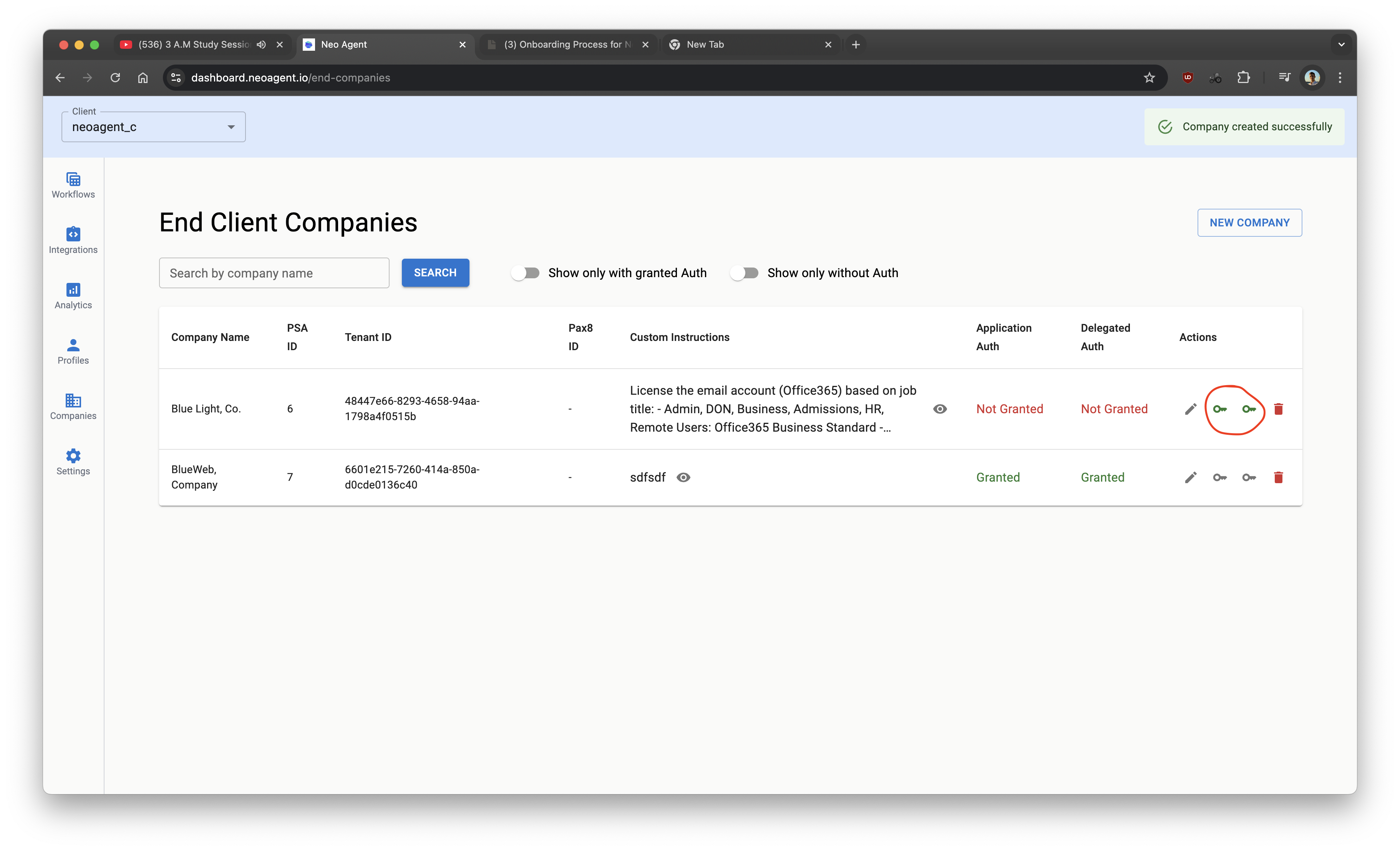
Neo acts in a tenant only after it is connected for your account, through this link or GDAP. Every company with the same tenant ID shares that connection. If you change a company’s tenant ID, connect the new tenant before agents work in it.
Application access is the only grant Neo needs. It covers everything the automation does in the tenant — creating users, assigning licenses, resetting passwords, and disabling accounts.
Neo automatically assigns the Exchange Administrator role to the Neo Automations app after consent, so mailbox actions (shared mailboxes, forwarding, delegation) work out of the box. No manual role assignment is needed.
Re-granting access after permission updates
Neo occasionally adds new Microsoft Graph permissions to the Neo Automations app as capabilities expand. A tenant’s consent only covers the permissions that existed when access was granted — to pick up additions, re-run the Microsoft consent screen for that company — … > Reinitialize application access on a connected company, or Grant access on one that is not connected yet. Existing automation keeps working in the meantime; only the newest capabilities stay unavailable until you re-consent. For example, tenants consented before June 2026 are missingUser-PasswordProfile.ReadWrite.All, which is what lets the agent reset a password and set the require password change at next sign-in flag. If Neo reports that a password reset was refused for a company, re-consent it the same way — that picks the permission up.
You do not have to guess which permission is short. When Microsoft refuses a call because the consent does not cover it, and the agent cannot finish the job without that permission, it names the permission in its summary — for example AuditLog.Read.All, which sign-in and audit log reads need. Re-consent that company and make sure the named permission is selected. A company you connected through GDAP has neither consent button: add the permission to your GDAP permissions selection, then ask us to re-provision the company.
You’ve completed permissions. Neo can now perform actions across Microsoft Graph and Exchange Online.