
Connect Lexful
1
Create an API key in Lexful
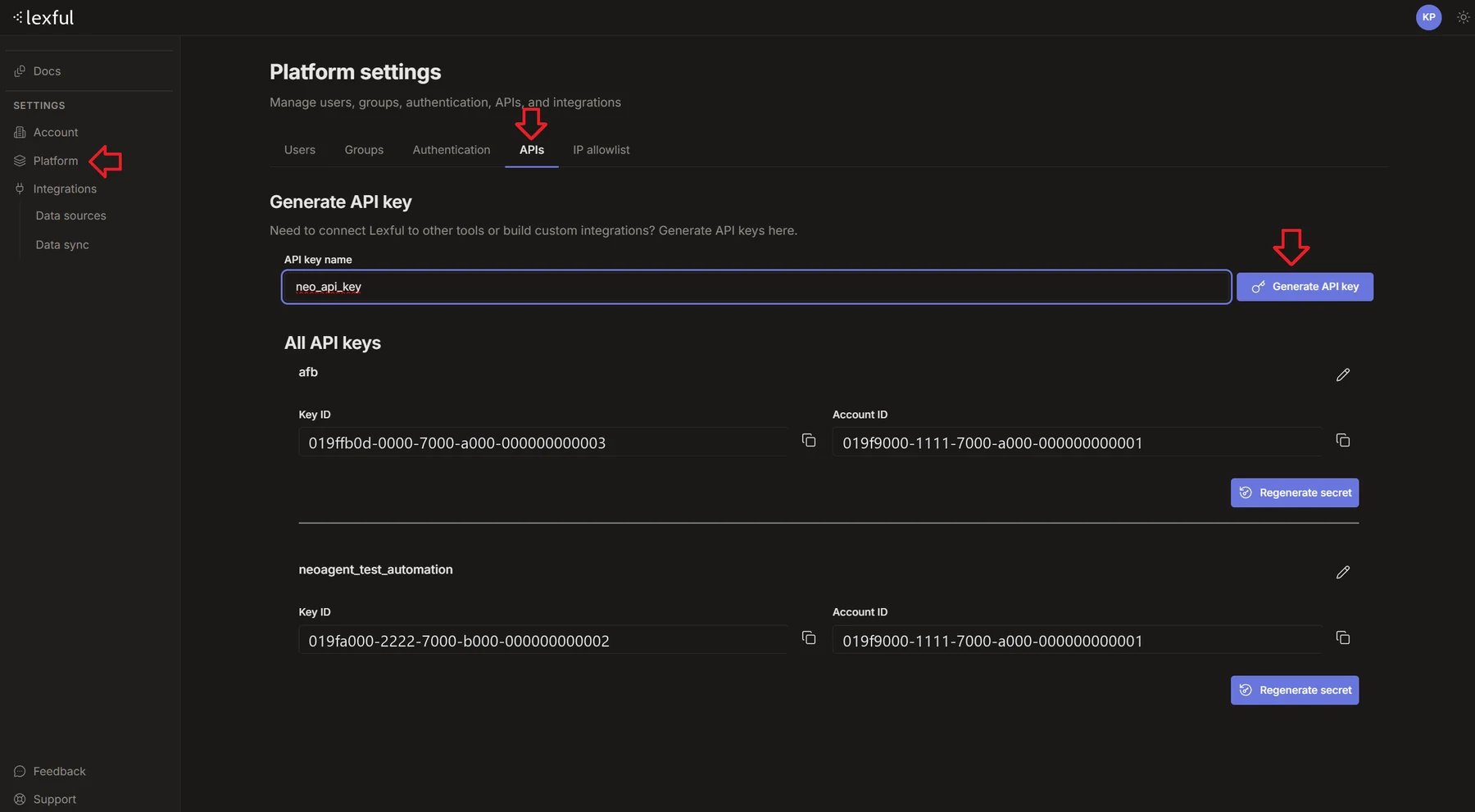
- In Lexful, open Settings → Platform, then the APIs tab.
- Under Generate API key, give the key a name (for example
neo_api_key) and click Generate API key. - Copy the secret Lexful shows you. It appears once. If you lose it, use Regenerate secret on that key.
- Under All API keys, find your new key and copy its Key ID and Account ID.
2
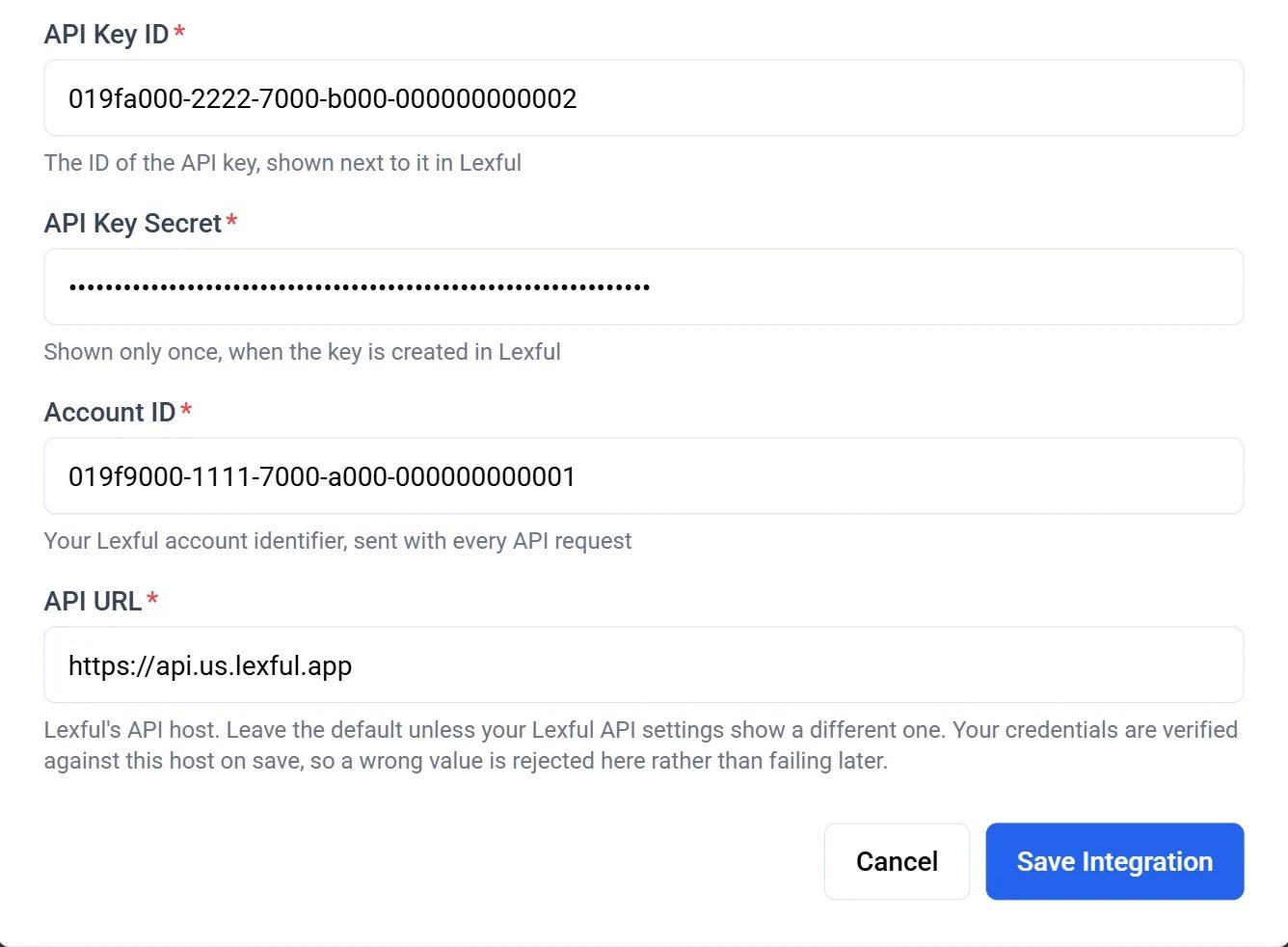
Add the integration in Neo
In the Neo Dashboard, open Integrations → the Directory tab → Documentation, and click the Lexful tile.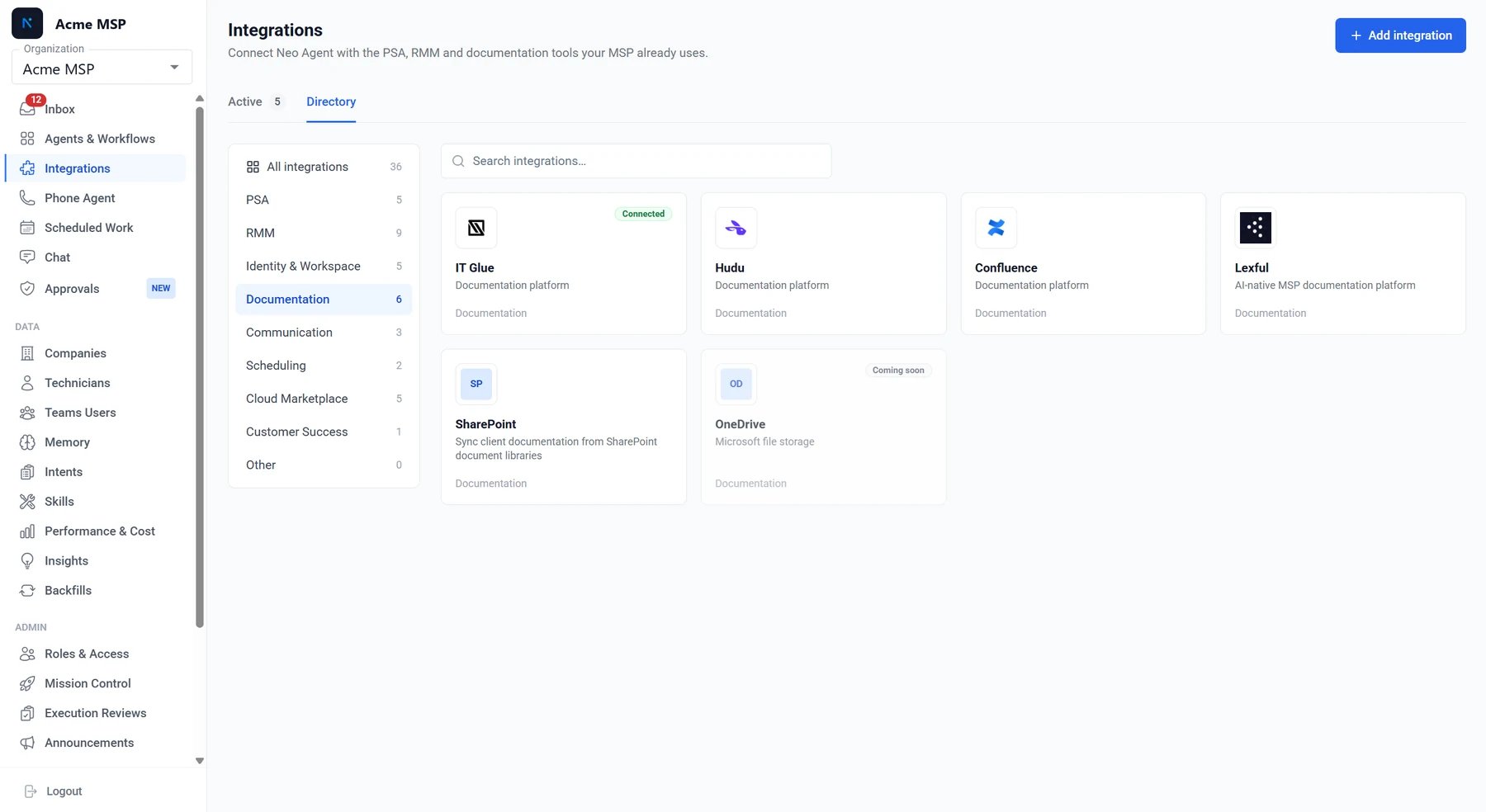
3
The first sync starts on save
Saving the credentials switches Lexful sync on. The first run starts within about 15 minutes, and syncs then run daily. You don’t have to wait — Trigger sync on the Lexful tile starts a run straight away, unless a sync is already running.
Nothing else to switch on. Once the first run finishes, your Lexful content is searchable through the agent’s Find Documentation tool alongside every other documentation source you’ve connected.
What gets synced
Neo reads your asset types from Lexful at the start of every run, rather than working from a fixed list — so a custom asset type you add is picked up on the next sync with no work on either side.
Each indexed record carries a link back to the asset in Lexful, the organization it belongs to, and the name of the person who last changed it.
What is never synced
- The
system.passwordasset type is excluded whole — not only its secret fields. Neo never requests it. - Any property Lexful types as
secretortotpis excluded on every asset type — a location’s door code, a custom type’s secret field. The exclusion works from the property’s type in your Lexful schema, so a new secured field is excluded the day you add it. Neo lists the names of an asset’s secured properties on the indexed record, so an agent knows a credential exists there, and never the values.
Company mapping
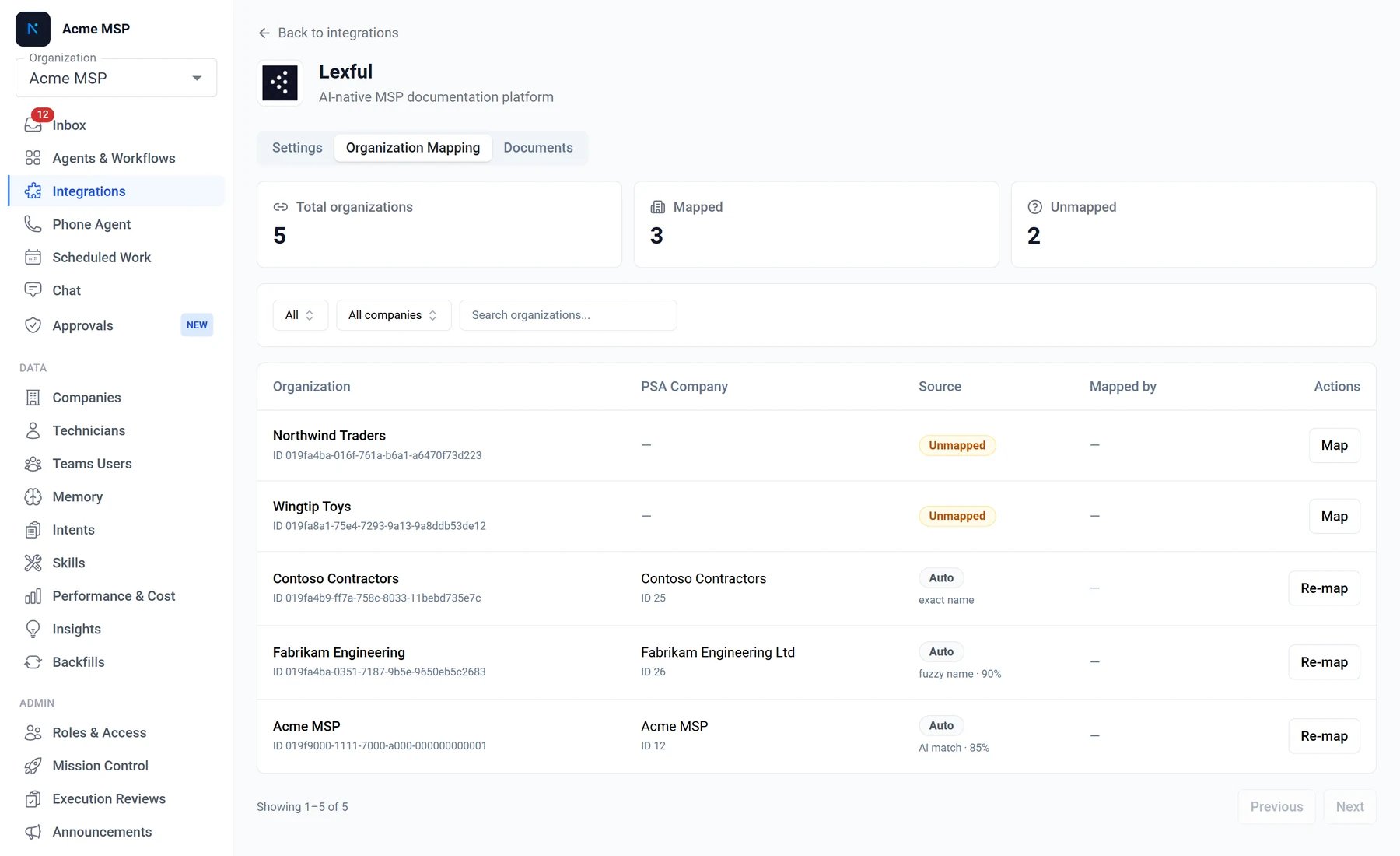
Neo matches your Lexful organizations to companies in your PSA, so documentation is scoped to the right customer in search. Lexful’s API carries no PSA identifier, so every match is inferred, in this order:- Exact name — the organization name matches a PSA company’s.
- Name without legal suffix — “Contoso Contractors Ltd” matches “Contoso Contractors”.
- Website domain — the organization’s website matches the company’s, where your PSA records one.
- AI match — a last resort for the long tail the first three miss.
Re-sync and see what Neo holds
Neo re-syncs Lexful daily. To pull changes in immediately, open the Lexful tile and click Trigger sync — the status row shows the current run. One Lexful sync runs at a time. While a scheduled or earlier sync is still going, Trigger sync tells you a sync is already running. Wait for that run to finish, then trigger again if you still need to.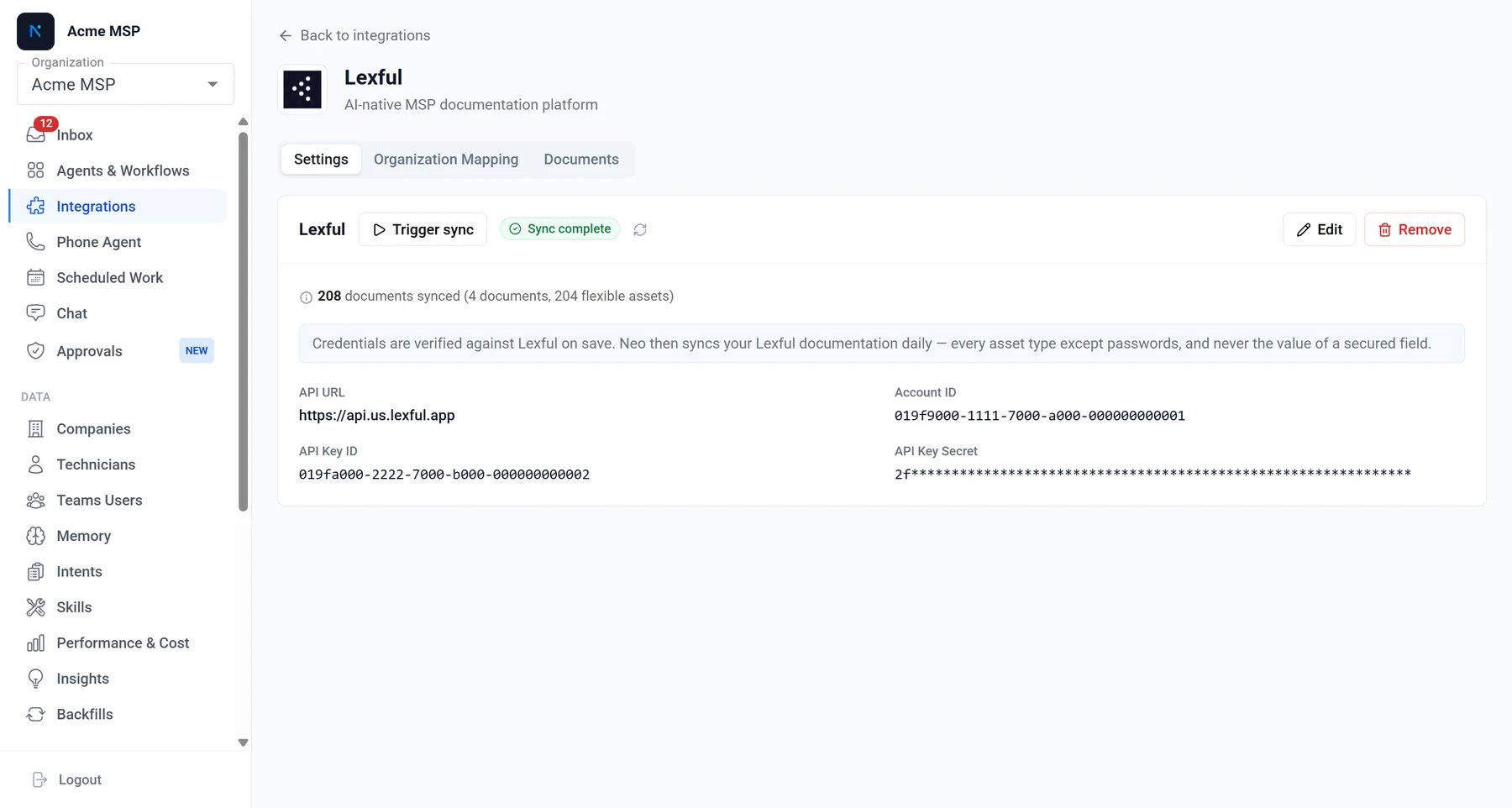
Agent access to Lexful
Sync makes your documentation searchable. To let an agent read and write Lexful records directly during ticket resolution — live values, non-document asset types, file attachments, or an update it writes back — enable the Lexful API tool on the agent and choose its permission groups. See Lexful API.Troubleshooting
When a sync can’t get what it needs, Neo records it in your dashboard inbox:- Lexful refused the request. Either your API key was rejected, or Neo’s IP address isn’t allowed. The message names which. A rejected key is fixed in the integration settings; a blocked IP is fixed by adding Neo’s addresses under Settings → Platform → IP allowlist in Lexful — see IP whitelisting. Neo also emails your admins if this persists across two consecutive runs.
- Lexful was unreachable. The connection timed out or was refused. This is normally a short Lexful outage, so Neo records it without emailing anyone, and the next daily sync recovers on its own. If it persists, check that the API URL in the integration matches the host in your Lexful API settings.
Security
- Your API key secret is stored in Azure Key Vault, encrypted at rest, and never returned to the dashboard in plaintext.
- Documentation sync only reads from Lexful. Write access is needed for agent actions, never for sync.
- Passwords and secured property values are never indexed, and never leave Lexful through sync.
- Agent write access is opt-in per permission group, and any write that sets a credential requires technician approval.
- All API traffic is over HTTPS.