> ## Documentation Index
> Fetch the complete documentation index at: https://docs.neoagent.io/llms.txt
> Use this file to discover all available pages before exploring further.
# Slack
> Connect Slack to receive workflow notifications in your channels
Slack is a **notification destination** — Neo posts workflow notifications into your Slack
channels via the Notify Internal Team action.
To chat with Neo, use the Neo AI Agent in Microsoft Teams.
## Create the Slack app
Go to Slack API → Your Apps → Create New App → Create from scratch. Name it "Neo Agent" and select your workspace.
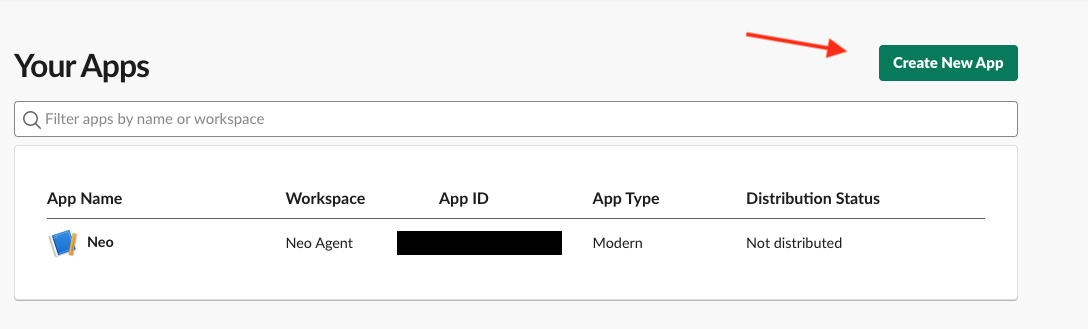
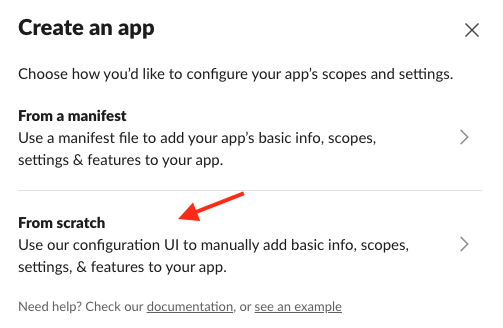
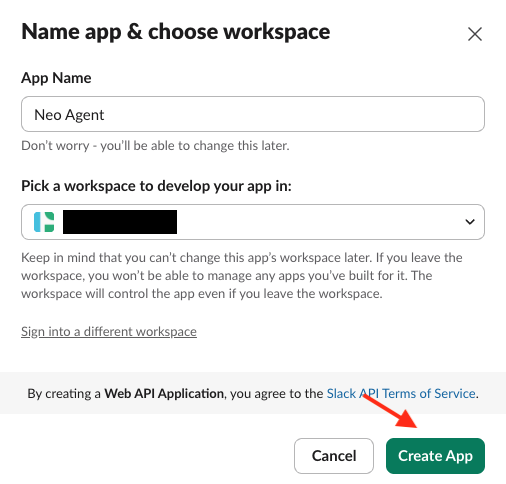 On OAuth & Permissions, add the `chat:write` bot token scope so Neo can post messages to your channels.
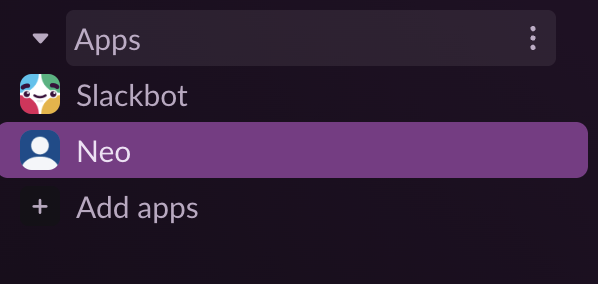
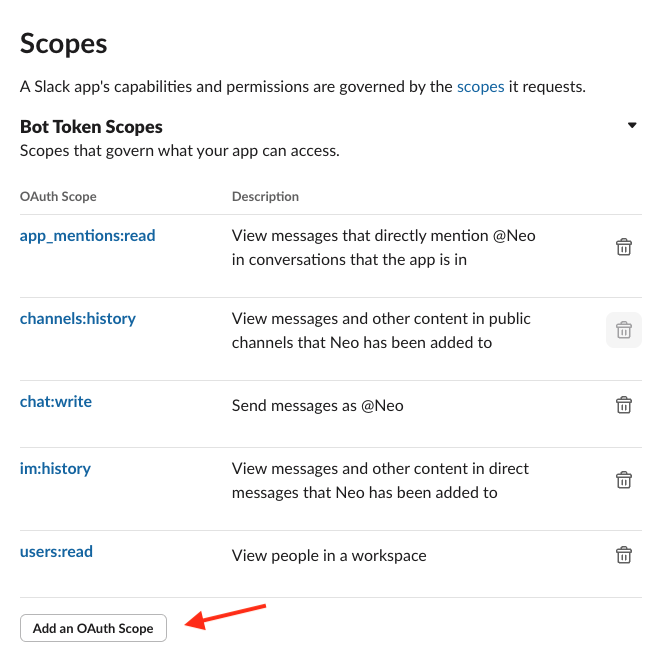 On OAuth & Permissions, click Install to workspace. The app appears under Apps in Slack.
 Provide your Bot User OAuth Token and App ID to your Neo administrator to complete configuration.
## Add Neo to channels
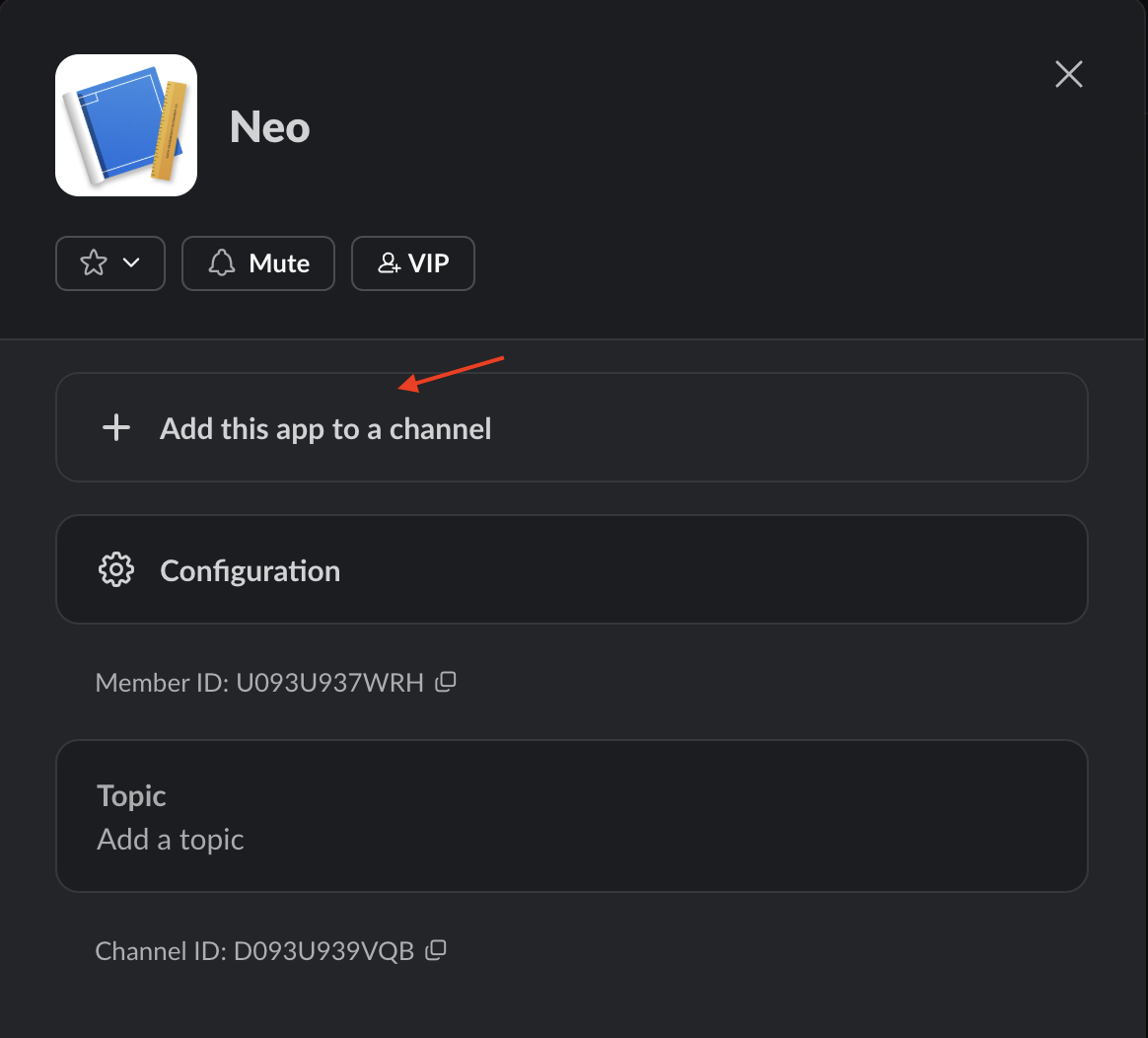
Open the Neo Agent app in Slack and add it to the channel where you want to receive notifications.
Provide your Bot User OAuth Token and App ID to your Neo administrator to complete configuration.
## Add Neo to channels
Open the Neo Agent app in Slack and add it to the channel where you want to receive notifications.
 ## Configure channel notifications
Use the channel ID in the Notify Internal Team action, then run a workflow that notifies that channel to confirm delivery.
Copy a channel link in Slack and use the last segment as the channel ID (for example: C1234567890).
## Configure channel notifications
Use the channel ID in the Notify Internal Team action, then run a workflow that notifies that channel to confirm delivery.
Copy a channel link in Slack and use the last segment as the channel ID (for example: C1234567890).