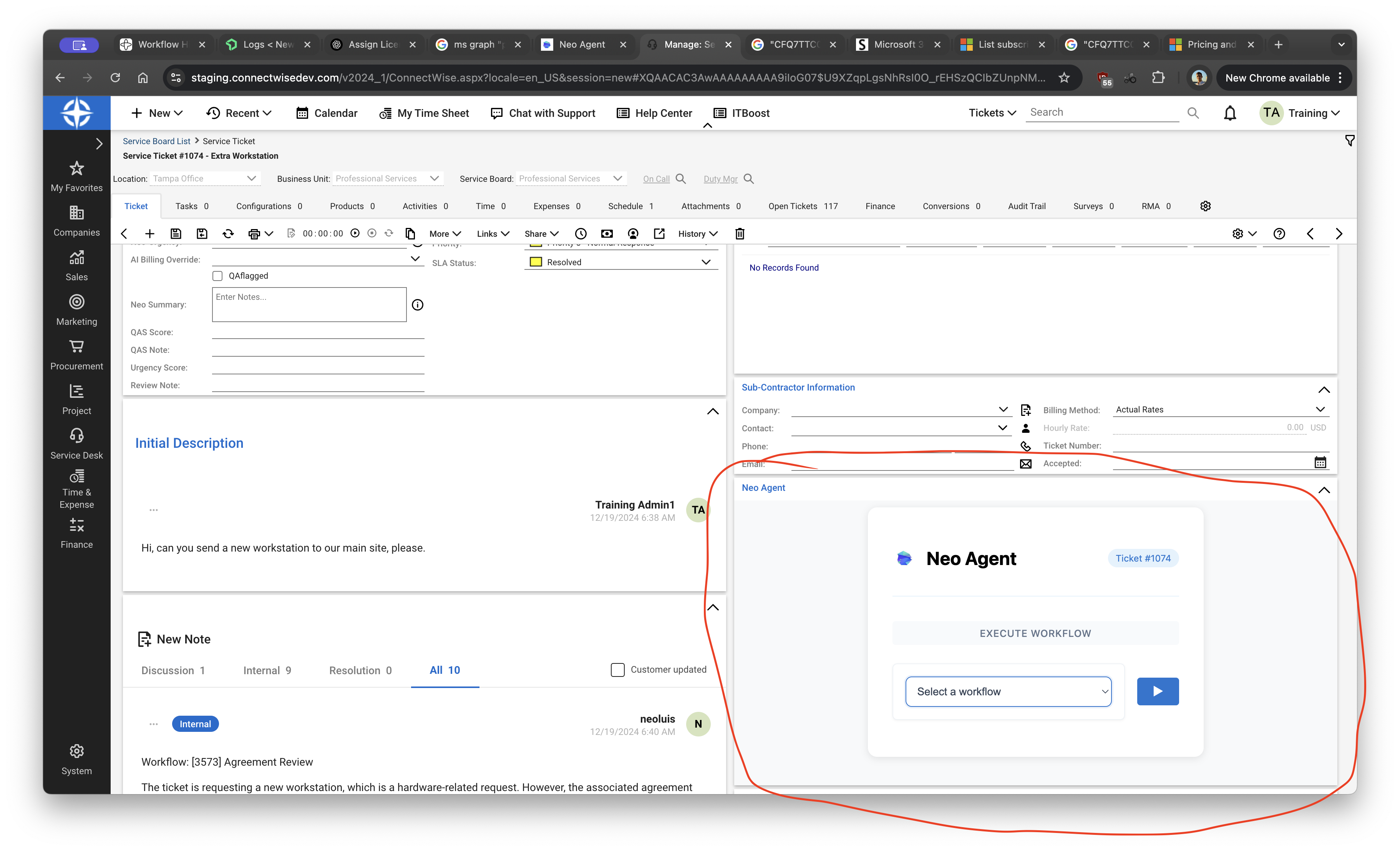
> ## Documentation Index
> Fetch the complete documentation index at: https://docs.neoagent.io/llms.txt
> Use this file to discover all available pages before exploring further.
# ConnectWise Pod
> Embed Neo in ConnectWise as a Manage Hosted API pod
Currently available for ConnectWise PSA. Contact us to request support for other PSAs.
## Add Neo as a ConnectWise Pod
1. In ConnectWise, go to System → Setup Tables
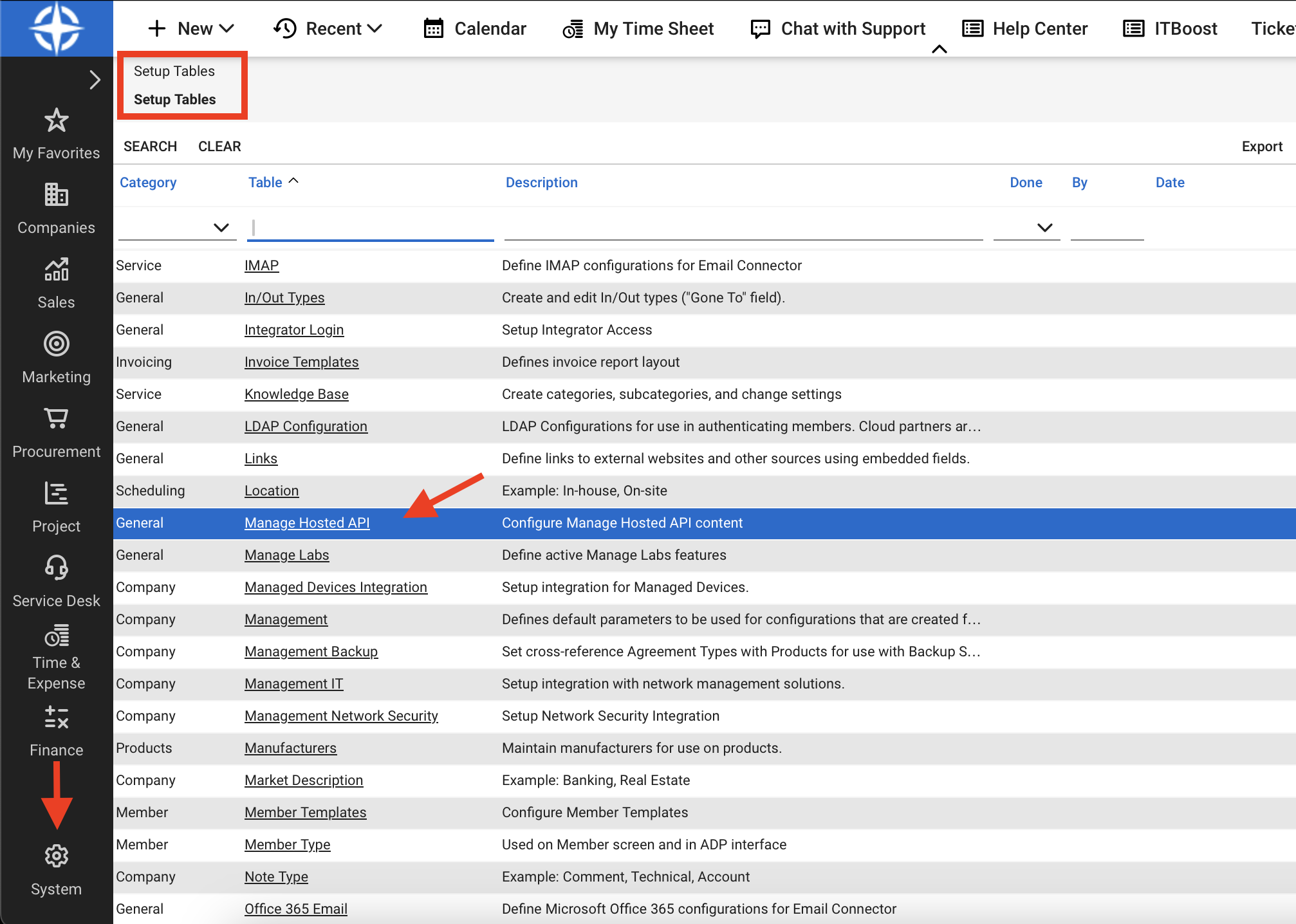 2. In category General, open Manage Hosted API
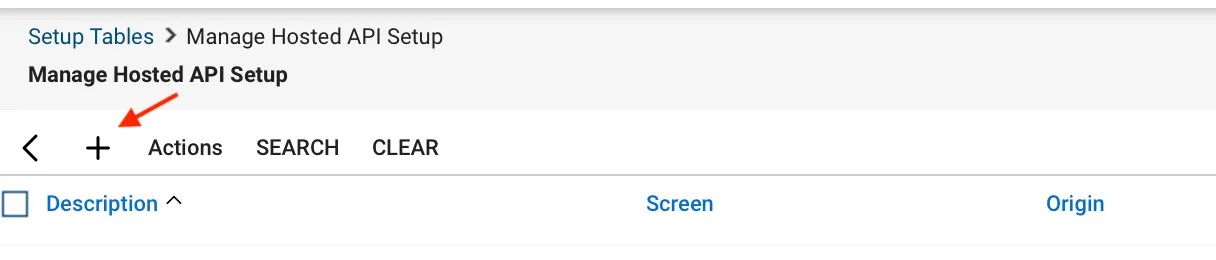
3. Click the + button to create a new pod
2. In category General, open Manage Hosted API
3. Click the + button to create a new pod
 4. Configure the pod fields as shown
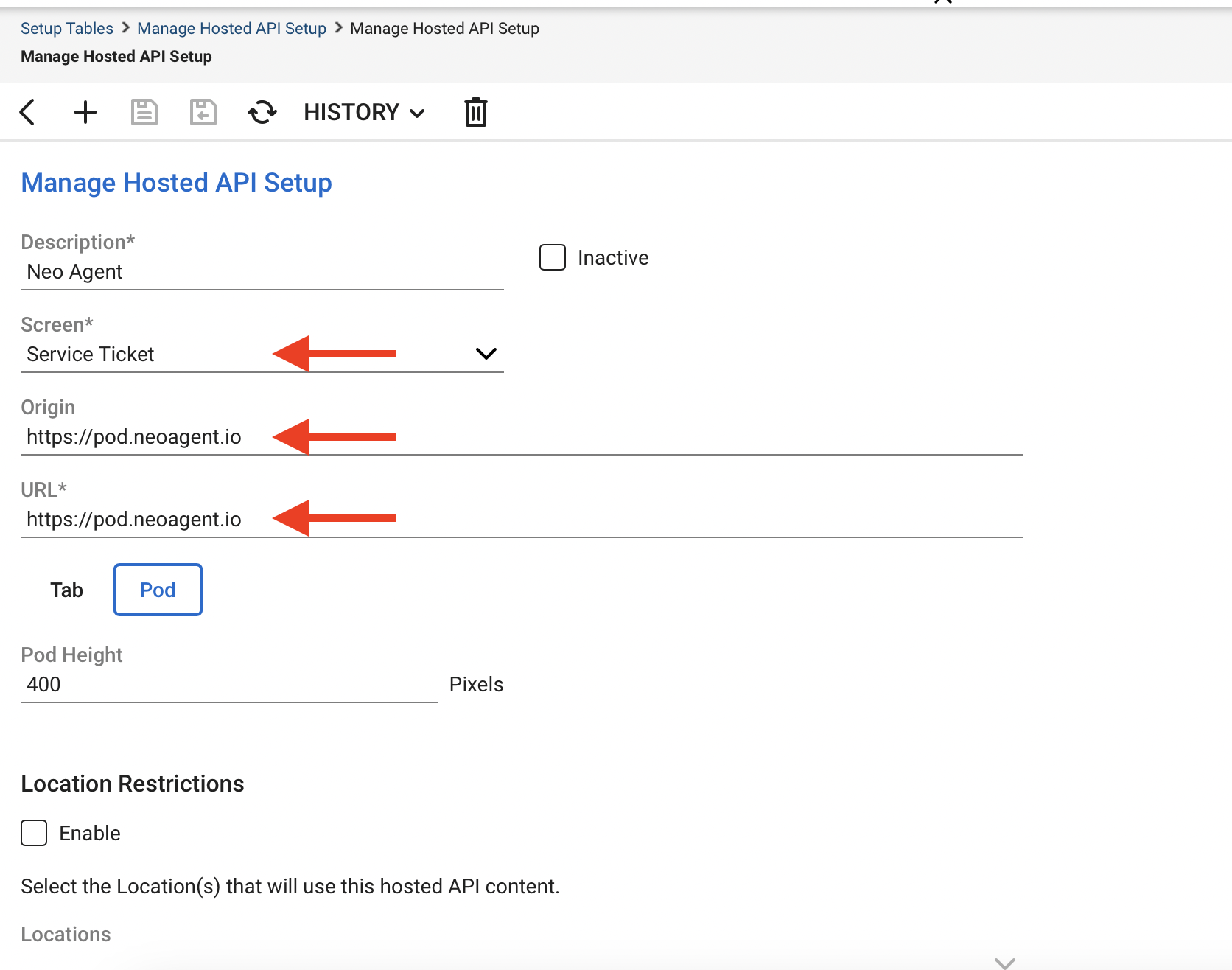 5. Set Origin and URL to `https://pod.neoagent.io`
6. Optionally set Description and Pod Height (recommend 400px)
5. Set Origin and URL to `https://pod.neoagent.io`
6. Optionally set Description and Pod Height (recommend 400px)