> ## Documentation Index
> Fetch the complete documentation index at: https://docs.neoagent.io/llms.txt
> Use this file to discover all available pages before exploring further.
# IT Glue
> Connect IT Glue to Neo for automatic documentation sync and full API access
Neo Agent integrates with IT Glue for automatic documentation sync **and** full read/write API access to IT Glue resources via the [ITGlue API tool](/agents/tools/documentation/itglue-api).
 ## Setup
1. In IT Glue, go to **Account** → **Settings** → **API Keys**.
2. Click **Generate API Key**.
3. Copy the API key.
Useful references:
* [IT Glue: API Documentation](https://api.itglue.com/developer/)
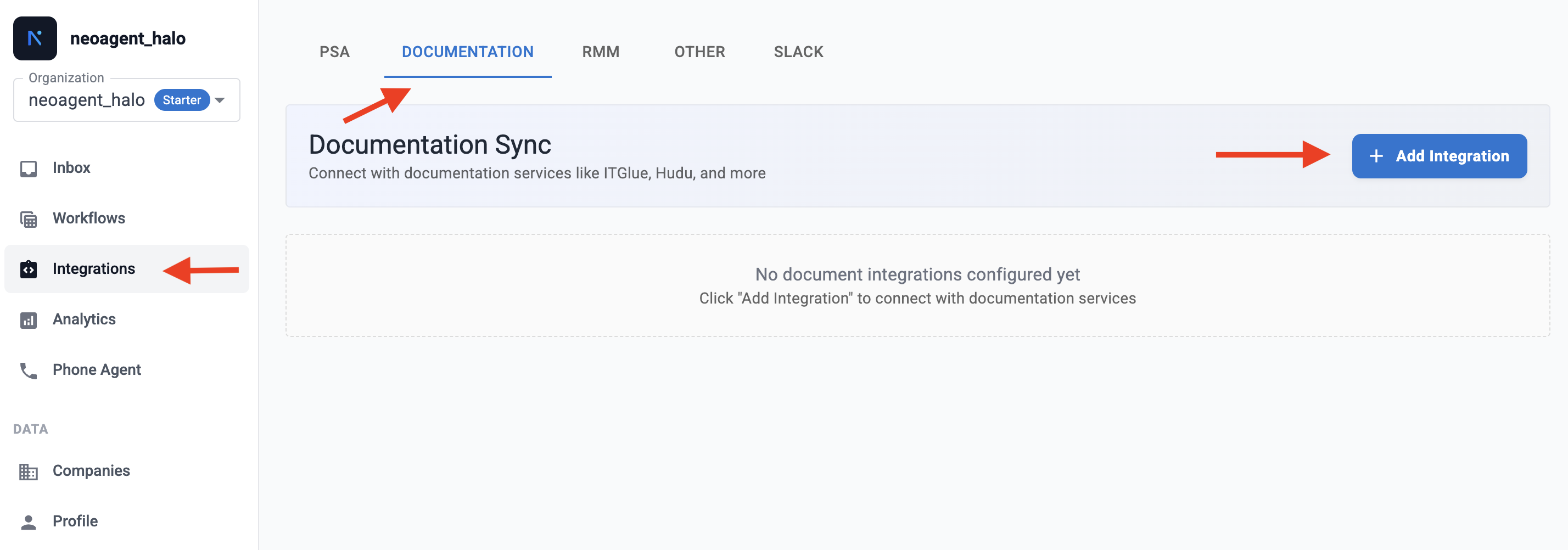
1. Go to **Integrations** → **Documentation** tab.
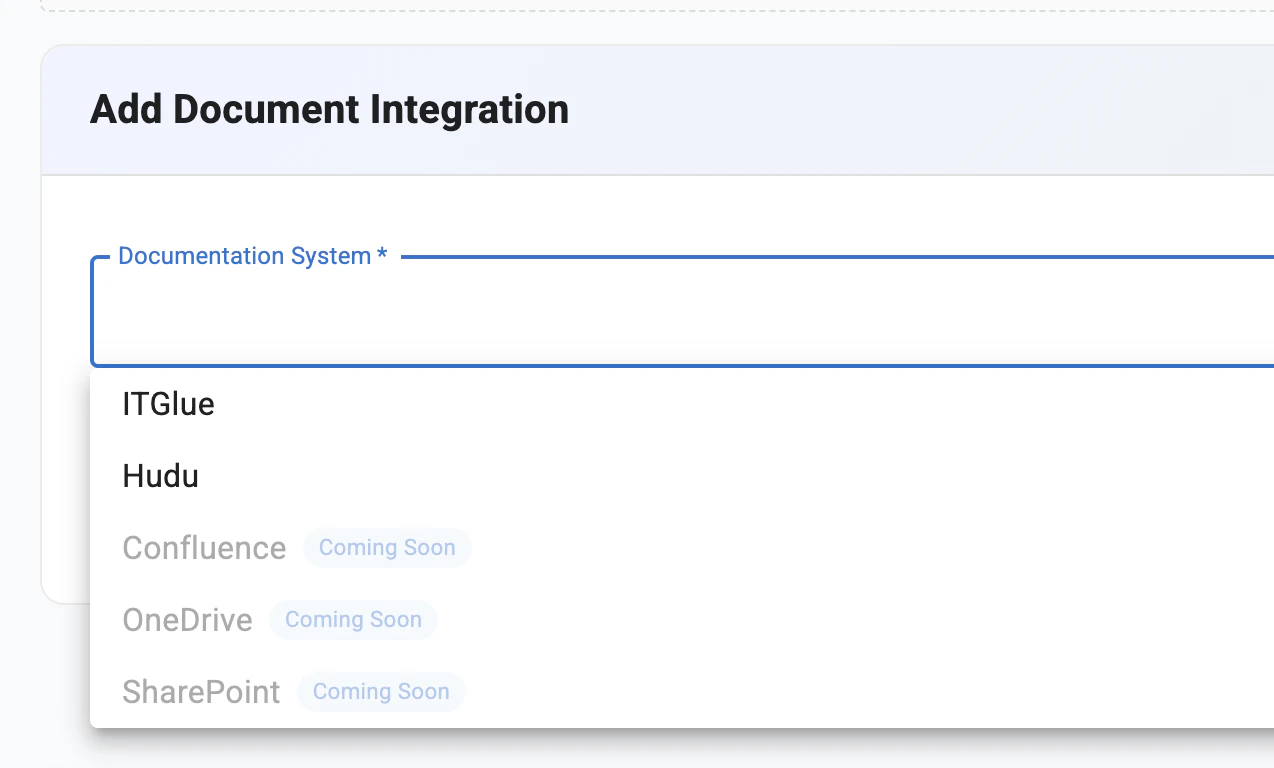
2. Click **Add Integration** and select **ITGlue API**.
## Setup
1. In IT Glue, go to **Account** → **Settings** → **API Keys**.
2. Click **Generate API Key**.
3. Copy the API key.
Useful references:
* [IT Glue: API Documentation](https://api.itglue.com/developer/)
1. Go to **Integrations** → **Documentation** tab.
2. Click **Add Integration** and select **ITGlue API**.
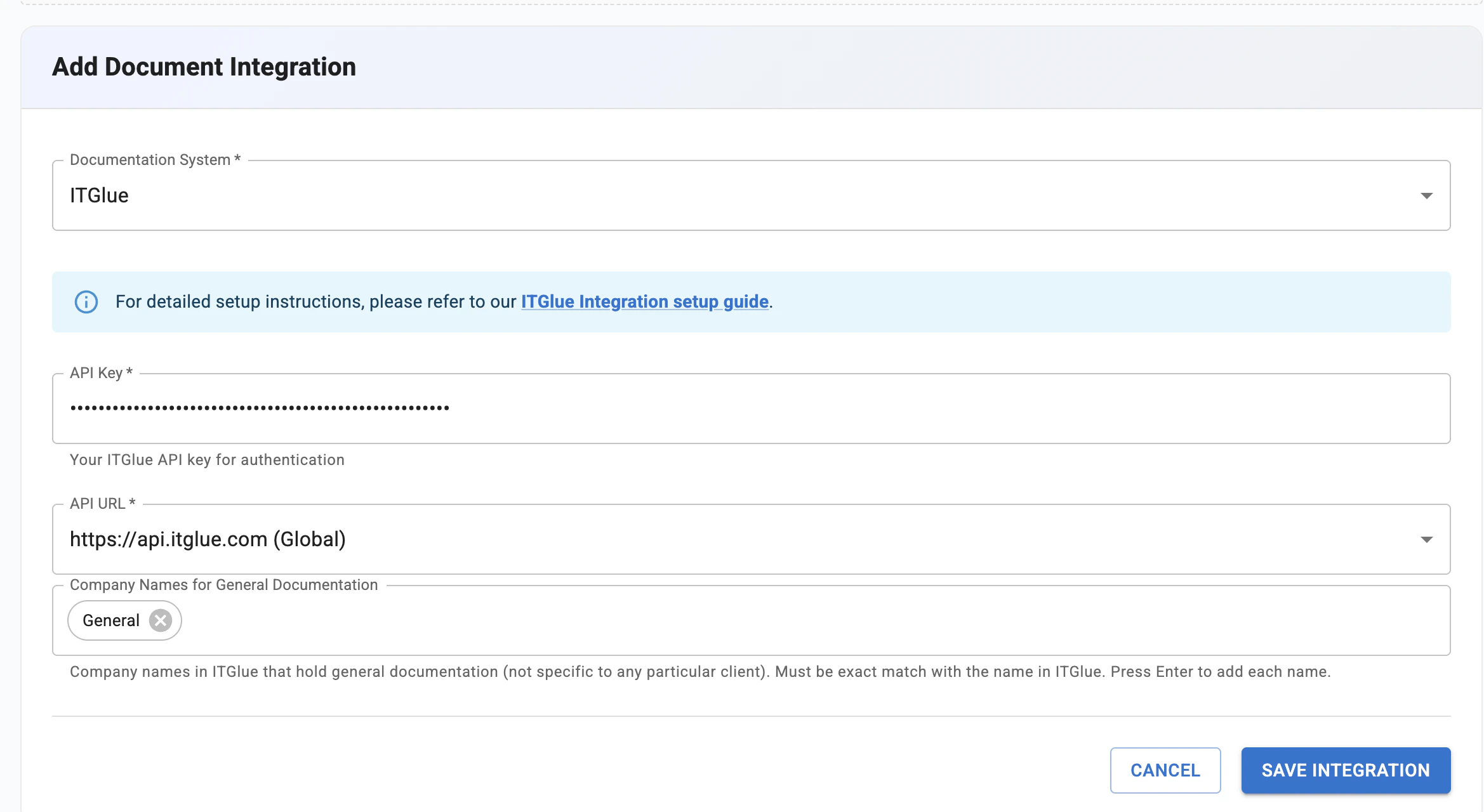
 3. Enter your IT Glue API key.
 ## What Gets Synced
Once connected, Neo syncs the following daily for search during ticket resolution:
| Content Type | Status |
| ------------------- | ---------------------------------- |
| **Documents** | Synced |
| **Flexible Assets** | Synced |
| **Configurations** | Synced |
| **Organizations** | Synced (for document organization) |
## Restricted documents
IT Glue lets you mark a document or folder as **Restricted access**. By default, Neo **honors that restriction** — its **internal (technician-facing)** agents won't surface those documents, so a technician can't read through Neo what they can't open in IT Glue. (The IT Glue API itself returns restricted documents to Neo regardless — a single API key sees everything, and IT Glue's per-user permissions aren't exposed to the API — so Neo enforces the restriction on its side.) You can change this from the IT Glue integration:
| Setting | What internal agents see |
| ------------------------------------------ | -------------------------------------------------------------------------------------------------------------------------------------------------------- |
| **Exclude restricted documents** (default) | Restricted documents and flexible assets never reach an internal agent — not through documentation search and not through the raw IT Glue API tool. |
| **Include restricted documents** | Restricted documents and flexible assets are available to your internal agents, marked confidential — the pre-existing behavior, for teams that want it. |
This is an all-or-nothing tenant choice, not per-technician enforcement — Neo can't reconstruct *who* a document is restricted to, only *that* it is. If you want a trusted subset of staff to keep using restricted docs through Neo, switch to **Include** and instead limit who can message the agent via [Chat Agent Access](/product/rbac#chat-agent-access).
**End-user (client-facing) agents never see restricted documents**, regardless of this setting — they are always excluded from anything served to your clients.
## ITGlue API Tool
Beyond sync, agents can interact with the **full IT Glue API** in real time — reading, creating, updating, and deleting documents, flexible assets, configurations, contacts, organizations, and passwords. Access is controlled through [7 permission groups](/agents/tools/documentation/itglue-api) with configurable access levels and technician approval requirements.
See the [ITGlue API tool documentation](/agents/tools/documentation/itglue-api) for permission groups, access profiles, and safety controls.
## Security
* **Permission-based access control** across 7 resource categories
* **Technician-in-the-Loop** for write operations on sensitive resources
* **Password writes always require technician approval**, regardless of settings
* **Organization deletion always blocked**
* **Restricted documents** can be withheld from internal agents, and are always withheld from end-user agents (see [Restricted documents](#restricted-documents))
* All data encrypted in transit and at rest
## What Gets Synced
Once connected, Neo syncs the following daily for search during ticket resolution:
| Content Type | Status |
| ------------------- | ---------------------------------- |
| **Documents** | Synced |
| **Flexible Assets** | Synced |
| **Configurations** | Synced |
| **Organizations** | Synced (for document organization) |
## Restricted documents
IT Glue lets you mark a document or folder as **Restricted access**. By default, Neo **honors that restriction** — its **internal (technician-facing)** agents won't surface those documents, so a technician can't read through Neo what they can't open in IT Glue. (The IT Glue API itself returns restricted documents to Neo regardless — a single API key sees everything, and IT Glue's per-user permissions aren't exposed to the API — so Neo enforces the restriction on its side.) You can change this from the IT Glue integration:
| Setting | What internal agents see |
| ------------------------------------------ | -------------------------------------------------------------------------------------------------------------------------------------------------------- |
| **Exclude restricted documents** (default) | Restricted documents and flexible assets never reach an internal agent — not through documentation search and not through the raw IT Glue API tool. |
| **Include restricted documents** | Restricted documents and flexible assets are available to your internal agents, marked confidential — the pre-existing behavior, for teams that want it. |
This is an all-or-nothing tenant choice, not per-technician enforcement — Neo can't reconstruct *who* a document is restricted to, only *that* it is. If you want a trusted subset of staff to keep using restricted docs through Neo, switch to **Include** and instead limit who can message the agent via [Chat Agent Access](/product/rbac#chat-agent-access).
**End-user (client-facing) agents never see restricted documents**, regardless of this setting — they are always excluded from anything served to your clients.
## ITGlue API Tool
Beyond sync, agents can interact with the **full IT Glue API** in real time — reading, creating, updating, and deleting documents, flexible assets, configurations, contacts, organizations, and passwords. Access is controlled through [7 permission groups](/agents/tools/documentation/itglue-api) with configurable access levels and technician approval requirements.
See the [ITGlue API tool documentation](/agents/tools/documentation/itglue-api) for permission groups, access profiles, and safety controls.
## Security
* **Permission-based access control** across 7 resource categories
* **Technician-in-the-Loop** for write operations on sensitive resources
* **Password writes always require technician approval**, regardless of settings
* **Organization deletion always blocked**
* **Restricted documents** can be withheld from internal agents, and are always withheld from end-user agents (see [Restricted documents](#restricted-documents))
* All data encrypted in transit and at rest