> ## Documentation Index
> Fetch the complete documentation index at: https://docs.neoagent.io/llms.txt
> Use this file to discover all available pages before exploring further.
# Starting a Trial
> Get started with Neo Agent in just a few simple steps
Sign up for your free trial and start automating your MSP operations today.
This guide covers the only steps you need to complete **before your trial setup call** with a Neo Account Manager, who will reach out to you directly to help you get the most out of your trial.
It takes about **5 minutes** to complete the pre-trial steps. After that, allow **up to 2 hours** for Neo to sync your data so we can go straight into **building your first workflows on the trial call** and start showing value immediately.
**When does your 14-day trial start?** The countdown begins when you create your first **automation** — a workflow or agent that runs on your tickets or on a schedule — **not** when you sign up. Setting up a **chat agent** (an internal assistant your team messages) does *not* start it. Your Billing page shows the exact start date and which automation started it.
Use your Microsoft login email to create your Neo Agent account. This ensures secure authentication and easy integration with your existing Microsoft ecosystem.
Make sure to use your work email address associated with your MSP for the best onboarding experience.
Enter some basic details about your MSP including:
* Company name and size
* Primary PSA tool you use
* **Teams support chat contact** — the person we invite to your private Microsoft Teams chat
with the Neo team. It's pre-filled with your sign-in email; feel free to change it to
whoever on your team should be in that chat (someone who uses Microsoft Teams day-to-day).
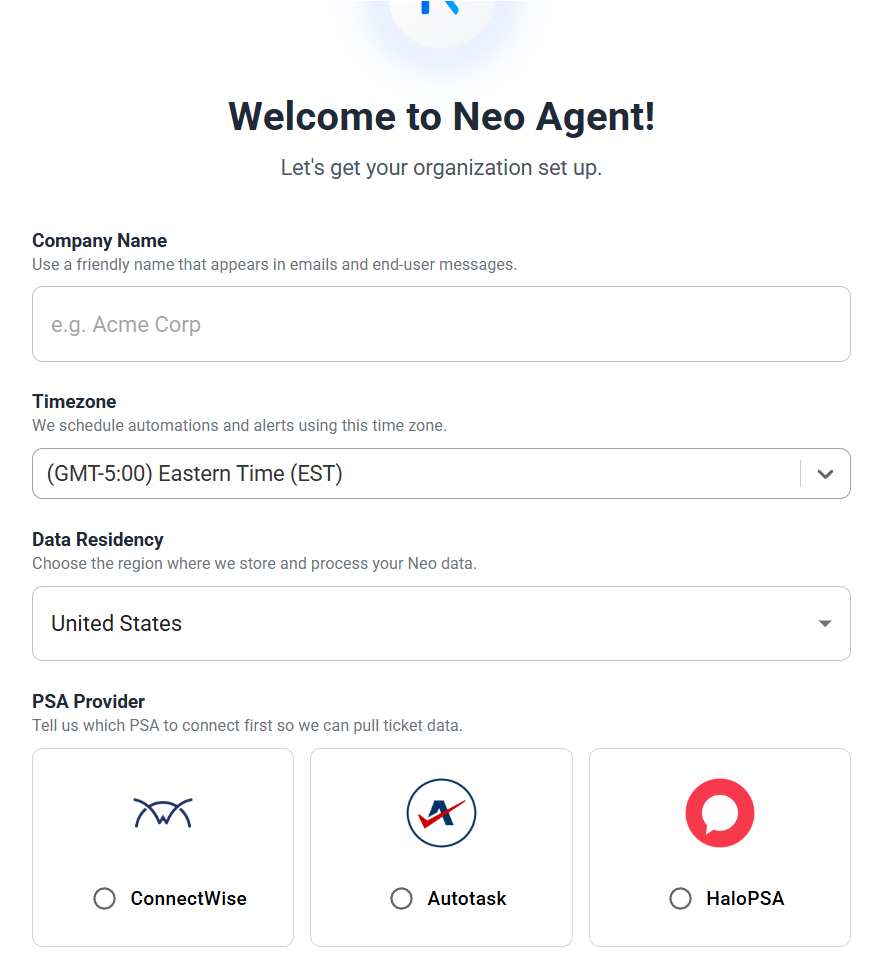 This information helps us customize your trial experience and prepare relevant examples for your setup.
Neo needs your integrations connected to sync data and prepare your environment before the trial call.
Please connect:
* **Your PSA** (for example: ConnectWise, Autotask, or Halo)
* **Your RMM** (for example: NinjaOne, Datto RMM, or N-central)
* **Your documentation tool**, if you use one (for example: IT Glue or Hudu), plus any other relevant tools
After connecting your integrations, allow **up to 2 hours** for Neo to complete the initial sync.
Once your integrations are connected and syncing, there’s nothing else you need to do!
On the call, we’ll:
* Confirm your integrations are working
* Set up your first workflows
* Tailor Neo to how your MSP operates
👉 Completing these steps in advance ensures your trial call is focused on configuration and value for you.
This information helps us customize your trial experience and prepare relevant examples for your setup.
Neo needs your integrations connected to sync data and prepare your environment before the trial call.
Please connect:
* **Your PSA** (for example: ConnectWise, Autotask, or Halo)
* **Your RMM** (for example: NinjaOne, Datto RMM, or N-central)
* **Your documentation tool**, if you use one (for example: IT Glue or Hudu), plus any other relevant tools
After connecting your integrations, allow **up to 2 hours** for Neo to complete the initial sync.
Once your integrations are connected and syncing, there’s nothing else you need to do!
On the call, we’ll:
* Confirm your integrations are working
* Set up your first workflows
* Tailor Neo to how your MSP operates
👉 Completing these steps in advance ensures your trial call is focused on configuration and value for you.