> ## Documentation Index
> Fetch the complete documentation index at: https://docs.neoagent.io/llms.txt
> Use this file to discover all available pages before exploring further.
# Triggers and schedules
> Understand event-based vs time-based automation and when to use each
## Overview
Automation in Neo Agent runs in two ways: event-based triggers and time-based schedules. Triggers react to PSA events as they happen. Schedules run at set cadences.
Use triggers when you need immediate reactions to changes. Use schedules for periodic reviews, cleanups, or batched processing.
 ## Triggered vs scheduled
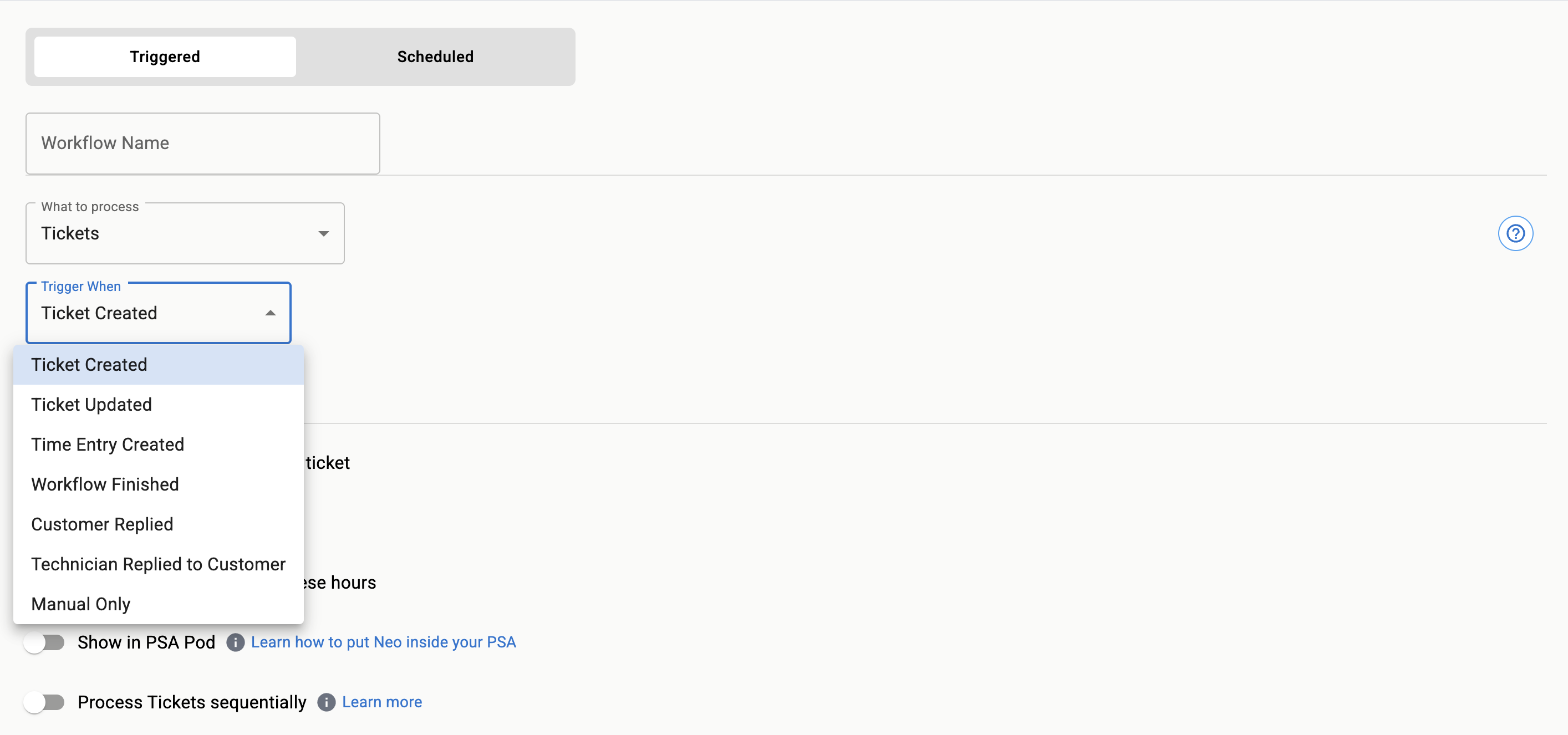
* **Triggered workflows**: Start instantly when a defined event occurs (for example, ticket created, ticket closed, time entry posted).
* **Scheduled workflows**: Start on a fixed cadence (for example, every 5 minutes, hourly, daily) and evaluate matching items at run time.
Favor triggered workflows for near-real-time actions (assignment, notifications, escalations). Favor scheduled workflows for periodic grooming (SLA sweeps, stale ticket cleanup, backlog reviews).
## Example scenarios
* **Triggered**: Auto-assign new P1 incidents from specific queues.
* **Triggered**: Comment on tickets when end users reply after hours.
* **Scheduled**: Close tickets in "Pending Customer" older than 14 days.
* **Scheduled**: Recalculate priorities for open requests each morning.
* **Scheduled agent**: Scan for new M365 admin role assignments daily and alert on unauthorized changes.
* **Scheduled agent**: Disable accounts inactive for 90+ days across connected tenants.
Scheduled agents run on a cadence **without processing a specific ticket**. They're ideal for proactive M365 administration, compliance audits, and recurring maintenance. See [Scheduled Agents](/core/scheduled-agents) to learn more.
## Design guidelines
If the action must happen immediately after an event, use a trigger. If you need to scan a set of items (for example, all open tickets) on a cadence, use a schedule.
Both triggers and schedules support deterministic and AI-assisted filters. Start with deterministic criteria for predictability, then layer AI filters to reduce noise.
For scheduled runs, write actions idempotently and track markers (labels, custom fields, comments) to prevent repeating the same change.
## Triggered vs scheduled
* **Triggered workflows**: Start instantly when a defined event occurs (for example, ticket created, ticket closed, time entry posted).
* **Scheduled workflows**: Start on a fixed cadence (for example, every 5 minutes, hourly, daily) and evaluate matching items at run time.
Favor triggered workflows for near-real-time actions (assignment, notifications, escalations). Favor scheduled workflows for periodic grooming (SLA sweeps, stale ticket cleanup, backlog reviews).
## Example scenarios
* **Triggered**: Auto-assign new P1 incidents from specific queues.
* **Triggered**: Comment on tickets when end users reply after hours.
* **Scheduled**: Close tickets in "Pending Customer" older than 14 days.
* **Scheduled**: Recalculate priorities for open requests each morning.
* **Scheduled agent**: Scan for new M365 admin role assignments daily and alert on unauthorized changes.
* **Scheduled agent**: Disable accounts inactive for 90+ days across connected tenants.
Scheduled agents run on a cadence **without processing a specific ticket**. They're ideal for proactive M365 administration, compliance audits, and recurring maintenance. See [Scheduled Agents](/core/scheduled-agents) to learn more.
## Design guidelines
If the action must happen immediately after an event, use a trigger. If you need to scan a set of items (for example, all open tickets) on a cadence, use a schedule.
Both triggers and schedules support deterministic and AI-assisted filters. Start with deterministic criteria for predictability, then layer AI filters to reduce noise.
For scheduled runs, write actions idempotently and track markers (labels, custom fields, comments) to prevent repeating the same change.