> ## Documentation Index
> Fetch the complete documentation index at: https://docs.neoagent.io/llms.txt
> Use this file to discover all available pages before exploring further.
# Chat in the dashboard
> The technician chat experience — sessions, history, sharing, feedback, and inline approvals on the Chat page
Open [**Chat**](https://dashboard.neoagent.io/chat) in the dashboard sidebar. You'll see two tabs: **Agents** (pick an agent to chat with) and **Channels** (connect agents to [external channels](/chat-agents/channels)).
The [Neo Support Agent](/chat-agents/neo-support-agent) is listed first with a **Managed by Neo** badge; your own chat agents follow. Click an agent to open its chat view. Each row also carries the agent's [ID](/chat-agents/overview#finding-an-agents-id) — the value Neo Support asks for when you raise an issue about a specific agent.
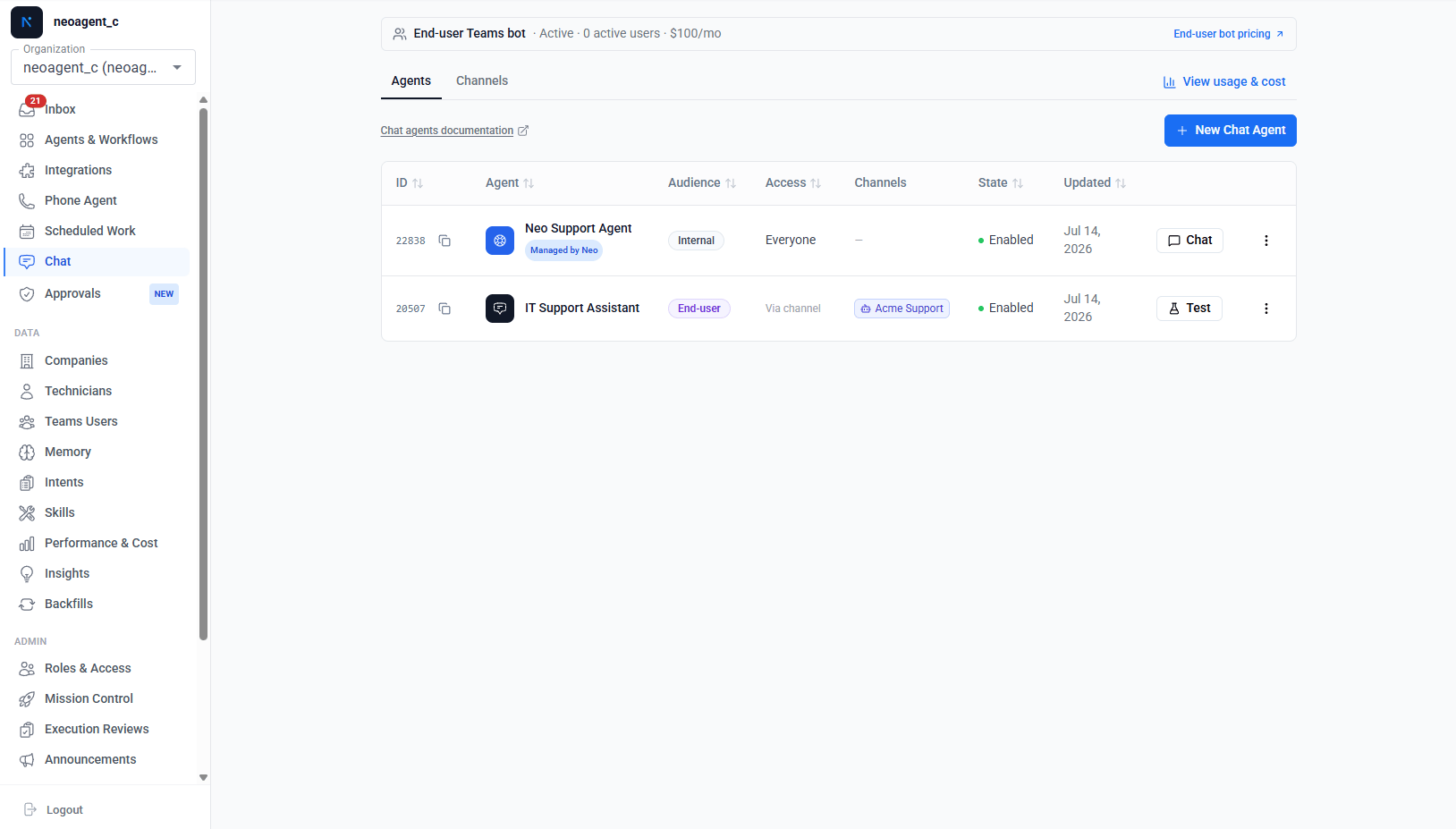 The Neo Support Agent is visible to admins only. Non-admin technicians can still reach Neo Support via the **Need help?** button in the bottom-right corner of any page.
## Sessions
Each conversation is a **session** — scoped to you and the agent you picked.
* **New conversations** start from the session sidebar. Each session keeps its own context; the agent remembers earlier turns within it.
* **Auto-naming** — sessions title themselves from the first exchange, so the sidebar stays scannable.
* **Archiving** removes a session from your sidebar. In Teams, `/reset` or `/new` does the same and starts fresh.
* **Sharing** — share a session with teammates; they get a read-only view of the conversation.
The Neo Support Agent is visible to admins only. Non-admin technicians can still reach Neo Support via the **Need help?** button in the bottom-right corner of any page.
## Sessions
Each conversation is a **session** — scoped to you and the agent you picked.
* **New conversations** start from the session sidebar. Each session keeps its own context; the agent remembers earlier turns within it.
* **Auto-naming** — sessions title themselves from the first exchange, so the sidebar stays scannable.
* **Archiving** removes a session from your sidebar. In Teams, `/reset` or `/new` does the same and starts fresh.
* **Sharing** — share a session with teammates; they get a read-only view of the conversation.
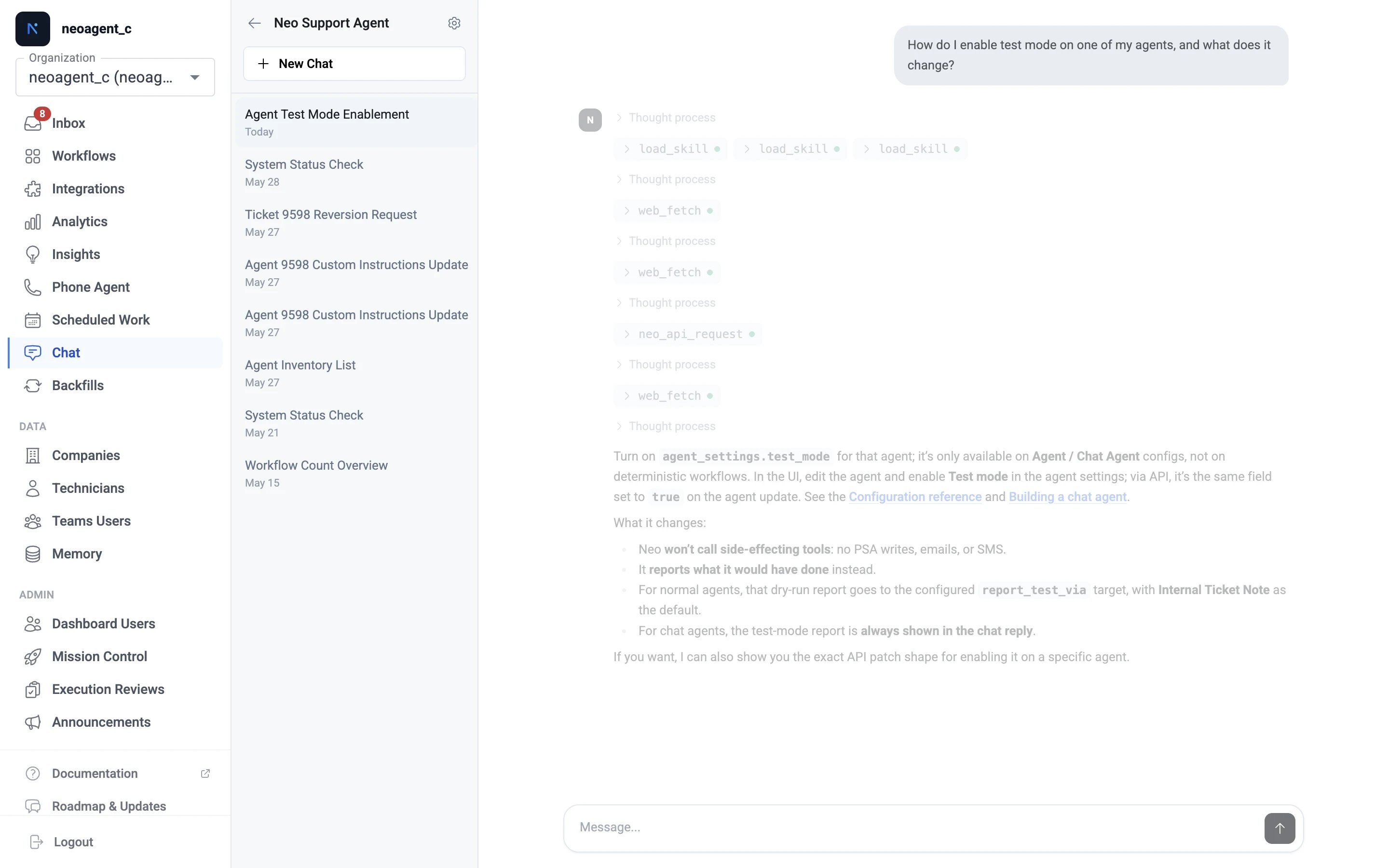 Start a new session when you change topic. Long mixed-topic sessions dilute the context the agent works from.
## Approvals happen in the chat
When a chat agent needs [Technician-in-the-Loop](/core/technician-in-the-loop) approval for a sensitive action, the approval card appears **inline in the conversation** — you approve or reject right where you asked. Chat agents always use the in-chat approval channel; Teams card delivery doesn't apply because you're already in the conversation.
## Feedback
Every agent reply has thumbs-up / thumbs-down; feedback is collected per message and reviewed to improve agent behavior.
What the agent can do is its configuration — enabled [tools](/agents/tools/overview), integration permissions, custom instructions. If it refuses something or lacks access, see [Building a chat agent](/chat-agents/building-a-chat-agent).
Start a new session when you change topic. Long mixed-topic sessions dilute the context the agent works from.
## Approvals happen in the chat
When a chat agent needs [Technician-in-the-Loop](/core/technician-in-the-loop) approval for a sensitive action, the approval card appears **inline in the conversation** — you approve or reject right where you asked. Chat agents always use the in-chat approval channel; Teams card delivery doesn't apply because you're already in the conversation.
## Feedback
Every agent reply has thumbs-up / thumbs-down; feedback is collected per message and reviewed to improve agent behavior.
What the agent can do is its configuration — enabled [tools](/agents/tools/overview), integration permissions, custom instructions. If it refuses something or lacks access, see [Building a chat agent](/chat-agents/building-a-chat-agent).